Deep Standby and Normal Standby
1. Overview of Standby Modes
When an energy storage device temporarily has no charging or power supply demand, the system enters standby mode to reduce operating power consumption. In standby mode, the device continues to monitor the battery status and automatically resumes operation when charging or power supply demand is detected.
Based on the level of energy saving, standby modes are divided into:
- Normal Standby: Used when there is no charging or discharging demand for a short period. The device maintains a faster response speed.
- Deep Standby: Used when there is no charging or discharging demand for an extended period. Some non-essential functions are disabled to further reduce power consumption.
Deep Standby is a further energy-saving state based on Normal Standby. It does not mean that the device is powered off.
2. Differences Between Deep Standby and Normal Standby
| Comparison Item | Normal Standby | Deep Standby |
|---|---|---|
| Application scenario | No charging or discharging demand for a short period | No charging or discharging demand for an extended period |
| Power consumption | Low | Lower |
| System status | The inverter remains in standby mode | The inverter enters sleep mode |
| Recovery speed | Faster | Relatively slower |
| EPS switching time | Approx. 100 ms | Approx. 1–2 s |
👉 See detailed power consumption information: Standby Power Consumption
Note: Since Deep Standby requires restoring certain operating functions before resuming normal operation, the EPS (Emergency Power Supply) switching time after exiting Deep Standby is slightly longer than in Normal Standby.
3. Deep Standby Overview
3.1 What is Deep Standby
Deep Standby is a low-power operating state. When the device does not detect any charging or output demand for an extended period, the system automatically enters Deep Standby to reduce the device's own power consumption.
When entering Deep Standby:
- Battery protection functions remain active;
- The device continues monitoring external inputs and power demand;
- The device automatically resumes normal operation when demand is detected.
3.2 Why Does the Device Enter Deep Standby
Even when an energy storage device is not charging or supplying power, it still consumes a small amount of energy to maintain system operation.
Examples include:
- No solar generation and no load consumption at night;
- The device remains unused for an extended period.
Deep Standby reduces standby power consumption in these low-usage scenarios, helping to reduce battery energy consumption.
3.3 How to Configure Deep Standby
The Deep Standby strategy supports configurable activation times:
- Set the start time and end time;
- Supports schedules that cross midnight;
- The default setting is enabled all day (00:00–23:59).
To configure Deep Standby:
- Open the device settings page and select Deep Standby;
- Set the Deep Standby Effective Time.
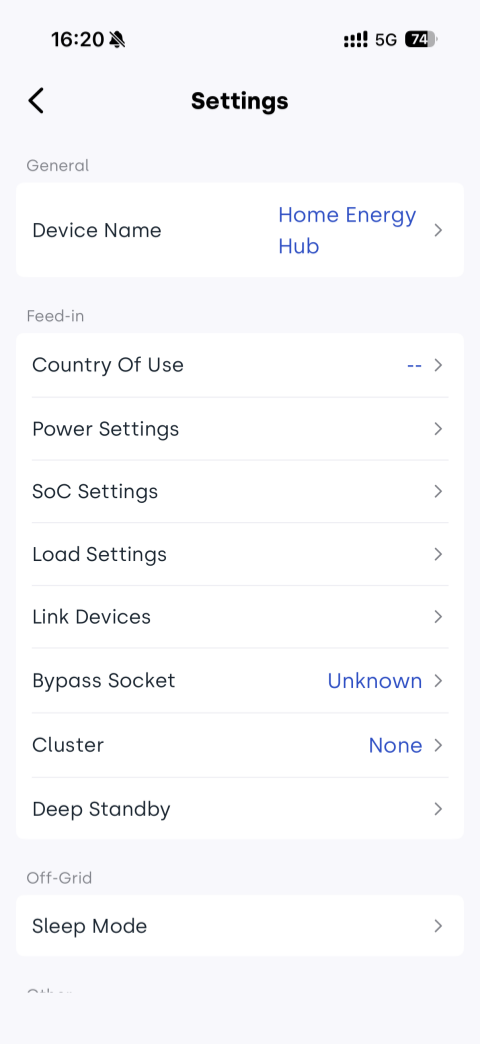
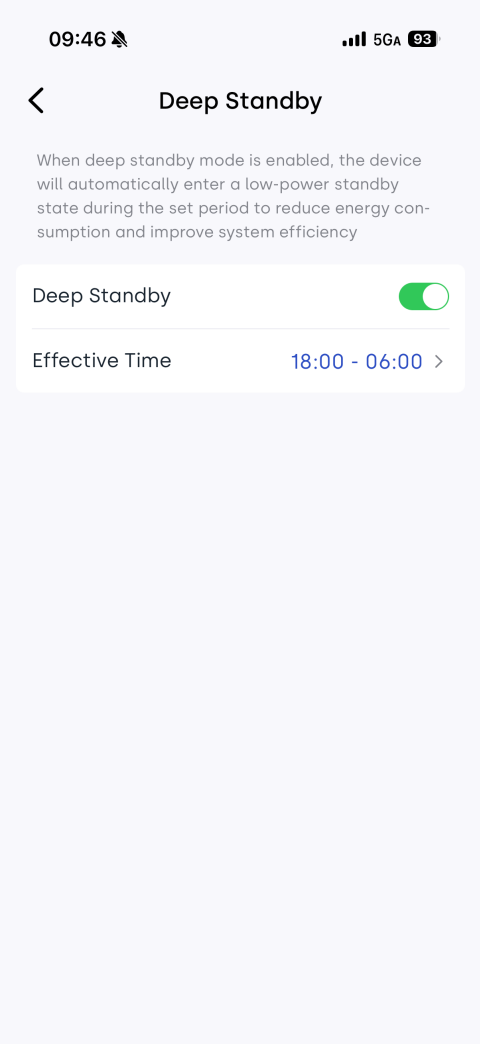
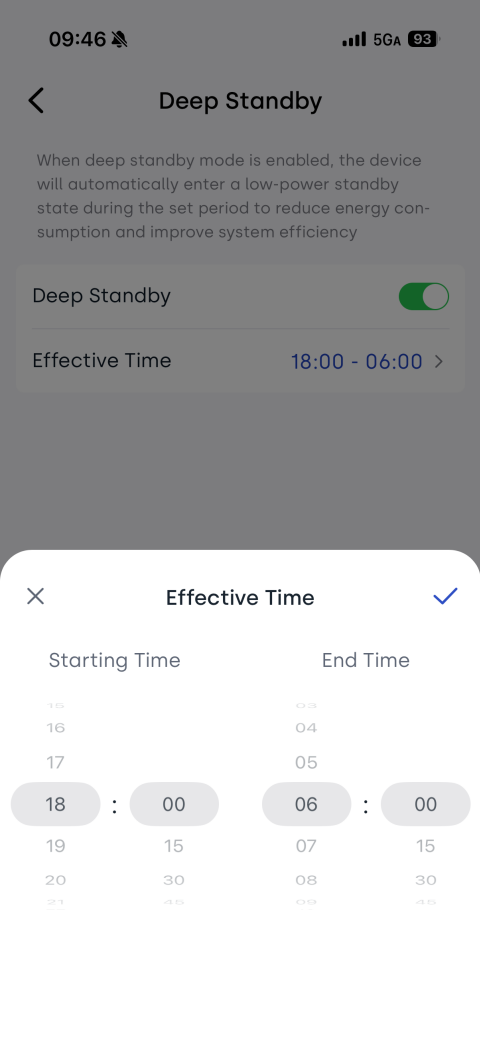
After configuration, the device automatically enters Deep Standby when the required conditions are met.
3.4 How to Exit Deep Standby
The device automatically exits Deep Standby when any of the following conditions occur:
- Charging demand is detected;
- Power supply demand is detected;
- External power input is detected (such as photovoltaic or AC input);
- The device button is pressed.
After exiting Deep Standby, the device returns to normal operating mode.