Bypass Socket Guide
The bypass socket is a bi-directional interface that automatically switches its role without manual operation. It can be used as:
- 🔌 Electrical load → Output (power supply)
- ☀️ PV micro-inverter → Input (power generation)
1. Device Identification
The system determines the connected device type based on power direction + duration:
| Type | Detection Condition |
|---|---|
| Load | Output power above 30 W for more than 20 seconds |
| Micro-inverter | Input power above 30 W for more than 5 seconds |
- In off-grid mode, if the bypass socket power is 0 W, the system retains the last detected state.
- After restart, the default mode is set to load operation.
2. System Behavior
System behavior depends on:
- Whether the system is grid-connected or off-grid
- Whether the connected device is a load or a micro-inverter
The power capability of the bypass socket depends on the number of battery packs. A single main unit has limited capacity and may not reach the maximum values listed below. To achieve higher power output, increase the number of battery packs.
Minimum recommended configuration:
- 1 × SolidFlex 2000 + 2 × SFA1800
- 1 × PowerFlex 2000 + 1 × PFA2000
2.1 Grid + Load
The load is powered by either the grid or the system inverter.
Power range:
- Up to 3600 W: normal operation
- Above 3600 W (current ≤ 16 A) for more than 5 seconds: protection is triggered, the bypass socket disconnects, and automatically recovers after 15 minutes
Battery protection:
- Discharge stops when SOC drops to 5%
2.2 Grid + Micro-Inverter
Micro-inverter energy is used for household consumption and battery charging. Excess energy may be fed into the grid within limits.
Power range:
- Up to 2400 W: normal operation
- Above 2400 W for more than 30 seconds: protection is triggered, the bypass socket disconnects, and automatically recovers after 15 minutes
Grid feed-in limit protection:
- If input power exceeds the maximum feed-in power limit by 10% for more than 30 seconds, the system prioritizes disconnecting the bypass socket and recovers after 15 minutes.
2.2.1 Grid-Connected Energy Behavior
In grid-connected operation, the system automatically allocates energy based on the selected energy mode, following a consistent priority:
- First, supply household loads or charge the battery
- Any remaining energy may be exported to the grid if available
The priority between load and battery may vary depending on the selected mode.
The micro-inverter is used as a supplementary PV source, while direct PV serves as the primary source. The system automatically coordinates both, with no manual switching required.
What happens to excess energy
When generation exceeds consumption (load is satisfied + battery is full):
| Feed-in Status | System Behavior |
|---|---|
| Within limit | Excess energy is fed into to the grid |
| Above limit | The system automatically limits output to avoid exceeding the limit: - If the micro-inverter output exceeds the feed-in limit: the bypass socket disconnects - If the micro-inverter is within the limit but direct PV causes the excess: direct PV output is reduced |
How to set feed-in power limit:
INDEVOLT App → Device page → Select device →→ Power Settings → Feed-in Power Limit
Mode 1: Self-Consumption
- Micro-inverter power supplies household load first
- Remaining energy charges the battery
- Once load is met and battery is full, excess follows the excess energy rule
Mode 2: Charge/Discharge Schedule
(1) Charging
-
A. PV only
- Micro-inverter charges the battery first
- Then supplies household load
- When battery is full and load is satisfied, excess follows the excess energy rule
-
B. PV + AC
- Direct PV is prioritized for battery charging:
- If PV is sufficient: PV charges battery, micro-inverter supplies load
- If PV is insufficient: micro-inverter assists battery charging, remaining power supplies load
- Once battery is full, micro-inverter prioritizes load supply
- Excess follows the excess energy rule
- Direct PV is prioritized for battery charging:
(2) Discharging
- Micro-inverter supplies load first
- Then charges the battery
- Once load is satisfied and battery is full, excess follows the excess energy rule
Mode 3: Real-Time Control
(1) Idle / Charging
- Micro-inverter charges the battery first
- When the battery is full:
- If power is 50 W or below: the system maintains the current state for self-consumption
- If power exceeds 50 W for more than 30 seconds: the bypass socket disconnects, and direct PV output is reduced to bring system output back to 50 W or below
(2) Discharging
- Micro-inverter power supplies the load first
- Then charges the battery
- When battery is full:
- If power stays within the configured discharge power plus tolerance: normal operation
- If power exceeds the configured discharge power plus tolerance: bypass socket disconnects
Tolerance = 50 W or 10% of the configured power (whichever is greater)
Examples:
- Configured discharge power: 400 W → protection triggered above 450 W
- Configured discharge power: 800 W → protection triggered above 880 W
2.3 Off-Grid + Load
When the grid is disconnected, the load is powered by the system inverter.
Power range:
- Up to 2400 W + 2% (2448 W): stable operation
- 2448 W – 2640 W: 30 s overload supported
- 2640 W – 3000 W: 15 s overload supported
- Above 3000 W: 100 ms overload supported
- If the overload exceeds the system capability, the bypass socket disconnects and automatically recovers after 15 minutes
2.4 Off-Grid + Micro-Inverter
-
EMS below 1.01.05
❌ Micro-inverter not supported (bypass socket disabled for protection) -
EMS 1.01.05 or higher
✅ Micro-inverter supported- Power range: 30 W to 1200 W
- When SOC drops below 3%, the inverter temporarily stops responding to micro-inverter input, but the bypass socket remains connected. Once SOC returns to 3% or higher, normal operation resumes automatically
3. Bypass Socket Control
Control method depends on network status:
| Network status | Control method |
|---|---|
| Normal | App / Bluetooth |
| Abnormal | Bluetooth only |
Method 1: App Remote Control
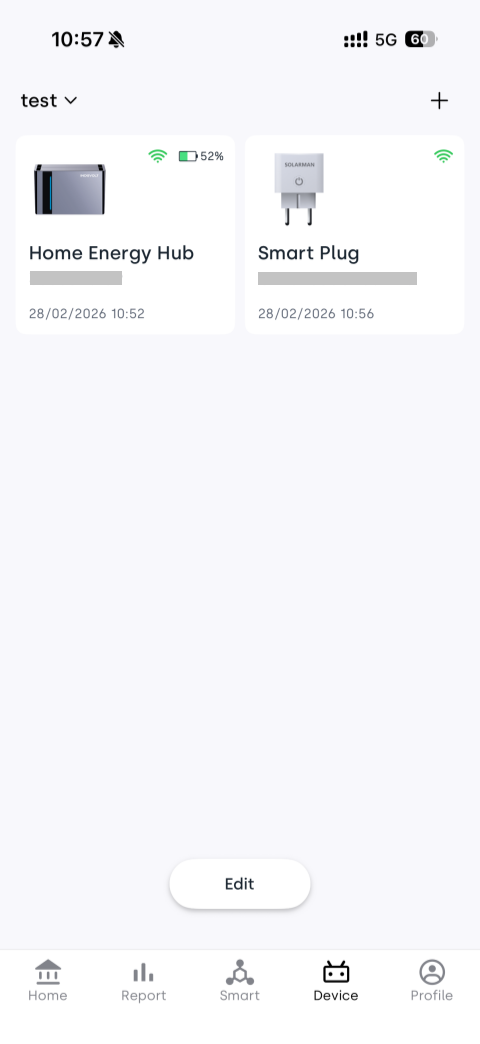
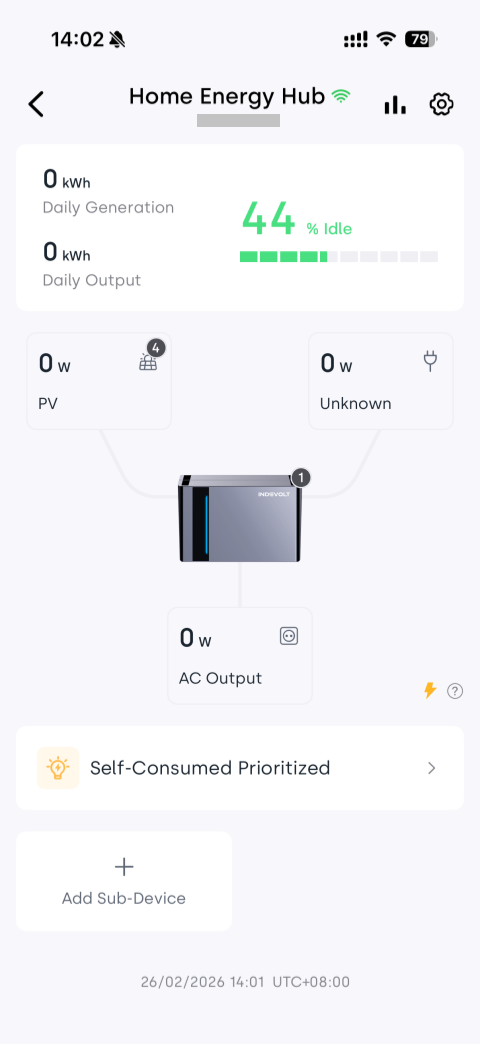
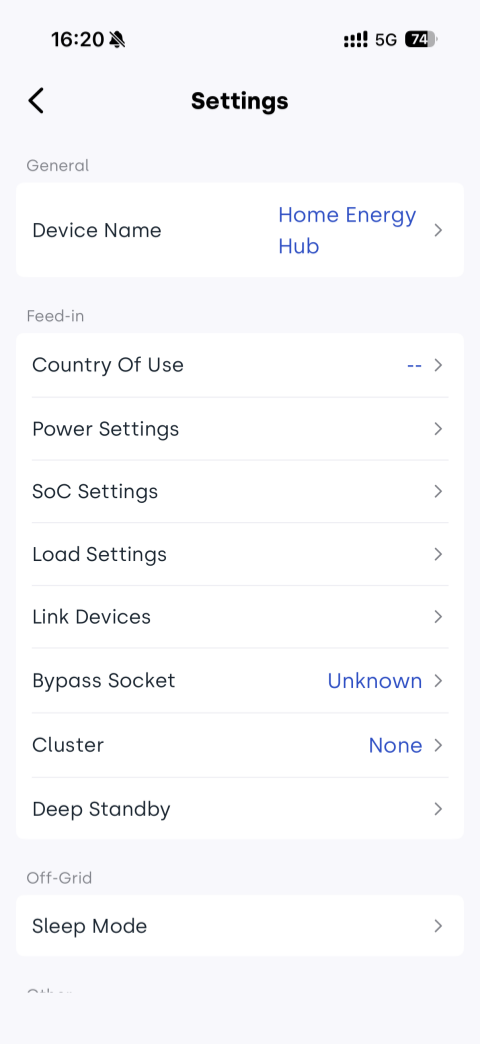
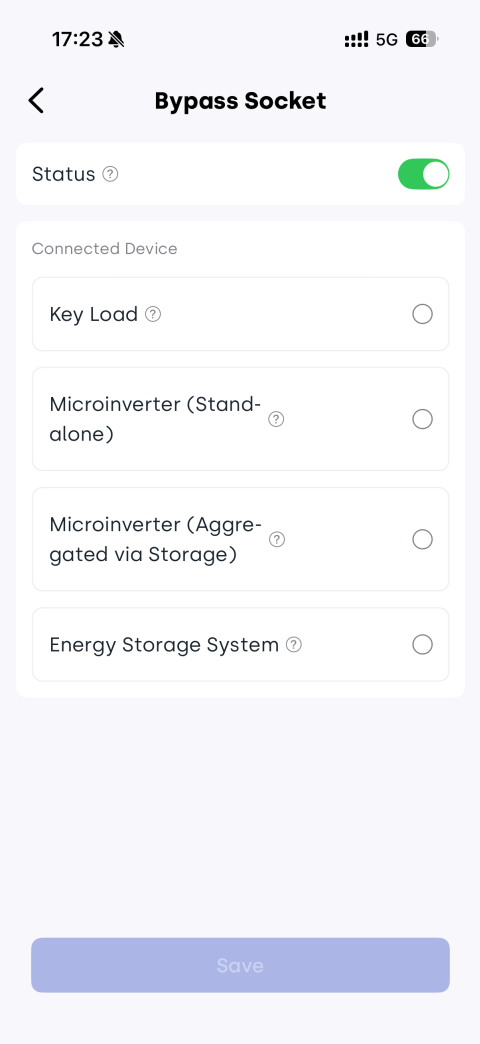
INDEVOLT App → Device → → Bypass Socket → Enable Status → Select connected device type
Method 2: Bluetooth Local Control
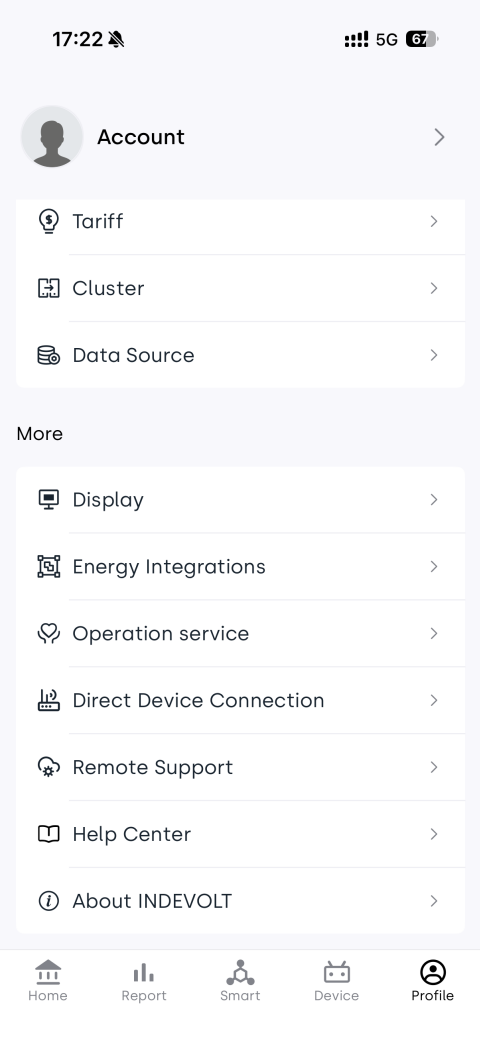
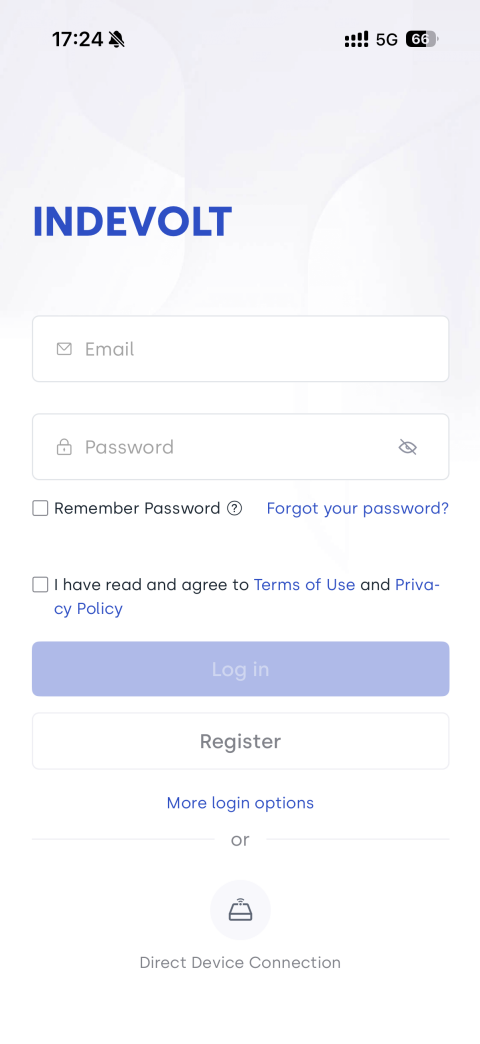
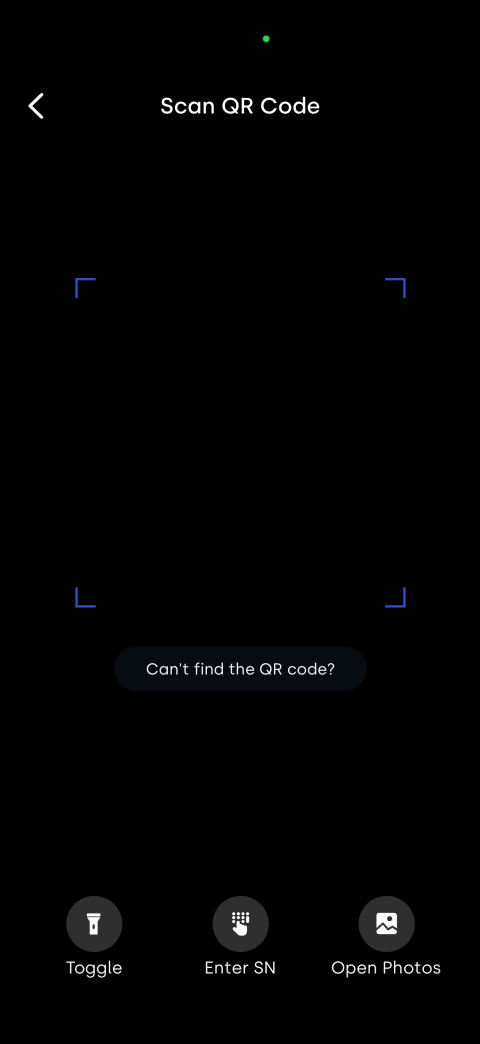
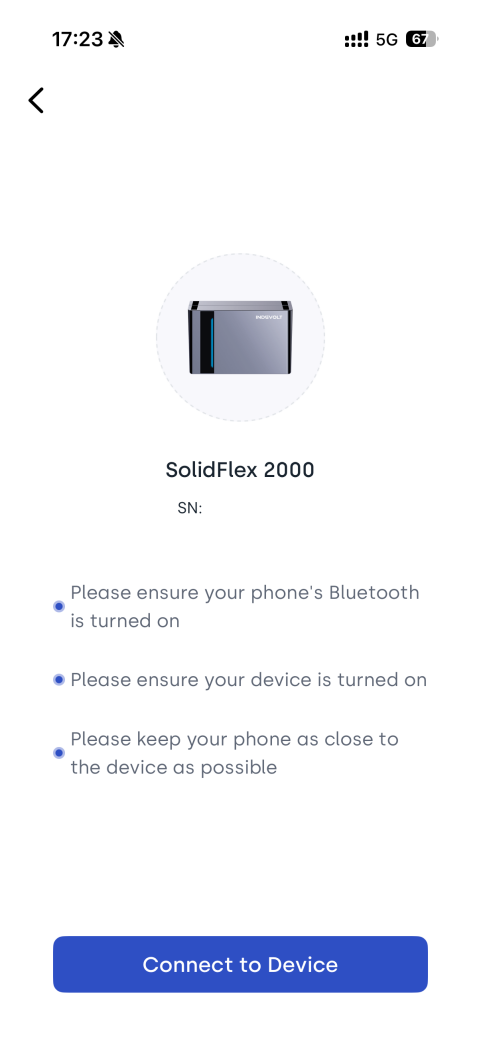
App → Profile / Login page → Direct Device Connection → Scan QR code → Connect device → → Bypass Socket → Enable
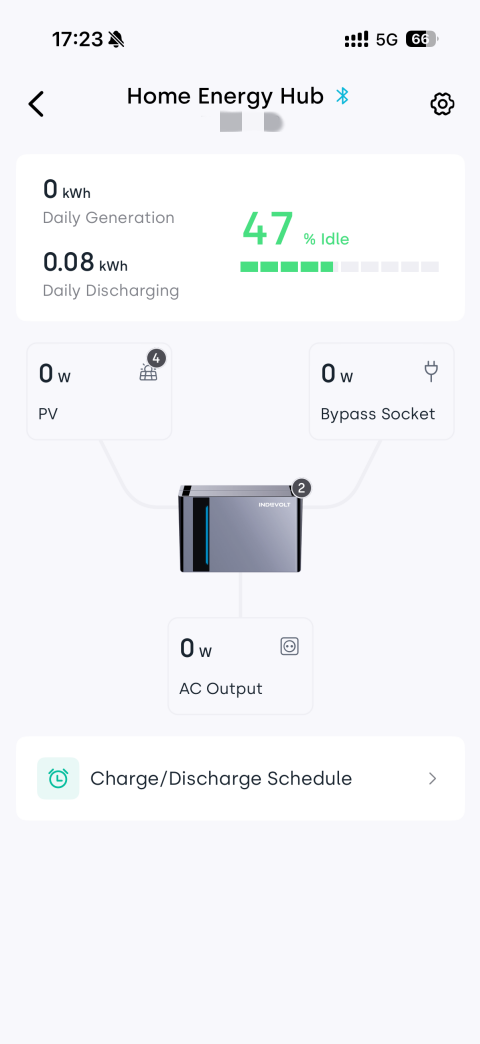
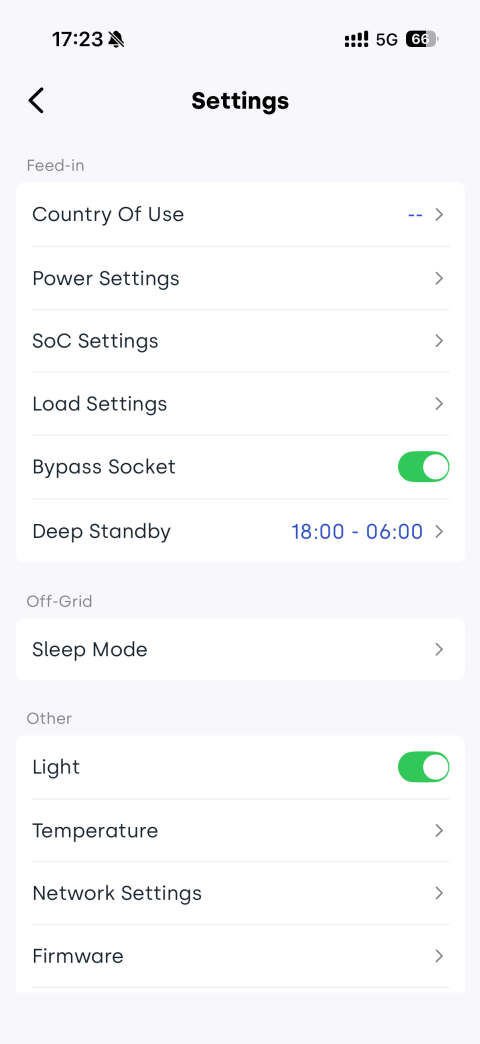
Off-Grid Sleep Mode
If the Off-Grid Sleep Mode standby-to-shutdown countdown completes, the device enters sleep mode and the Bypass Socket is automatically turned off. It can be reactivated by:
- Short press the power button
- Using the appropriate control method based on network status