Appearance & Interface
Appearance
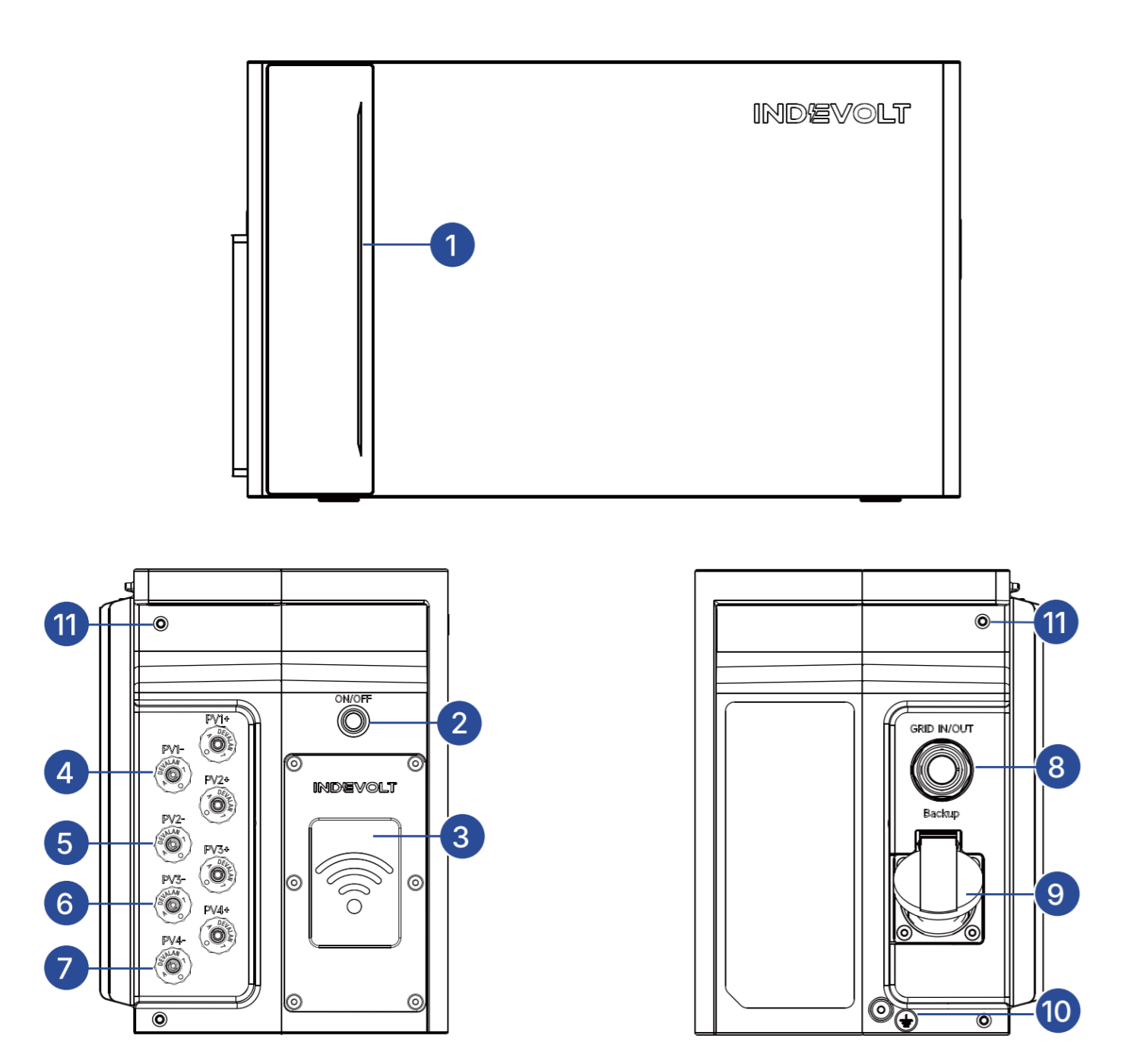
| No. | Function |
|---|---|
| 1 | Operating status LED |
| 2 | ON/OFF button |
| 3 | Wireless module |
| 4 | MC4 connection for PV input 1 |
| 5 | MC4 connection for PV input 2 |
| 6 | MC4 connection for PV input 3 |
| 7 | MC4 connection for PV input 4 |
| 8 | Grid connection port |
| 9 | Backup power port |
| 10 | Protective conductor screw hole (minimum conductor cross-section: 4 mm²) |
| 11 | Bracket mounting hole |
info
The ECO model does not include ports 4–7.
Button
| Operation | Function |
|---|---|
| Press and hold for 2 seconds in the OFF state | Power on |
| Press and hold for 2 seconds in the ON state | Power off |
| Press and hold for 10 seconds in the ON state | Reset Bluetooth and Wi-Fi |
LED Indicators
| LED | Description | Status |
|---|---|---|
 | Blue LED lights up from the center outward (up and down) | Starting |
 | Green LED lights upward from current battery level | Charging |
 | Blue LED turns off downward from current battery level | Discharging |
 | LED shows yellow | IoT connection failure |
 | LED shows red | Fault |
 | Blue LED lights from both sides toward the center | Shutting down |
 | Blue LED flashes three times | Device reset successful |