HTTP/HTTPS Overview
INDEVOLT micro storage systems provide a REST API based on HTTP/HTTPS, which can be used for device monitoring, parameter reading, and control within a local network. All APIs use JSON as the data exchange format.
1. Preparations
Step 1: Install Tools
- Postman / cURL: Used for invoking HTTP APIs to retrieve device data or update device configurations.
Step 2: Enable API
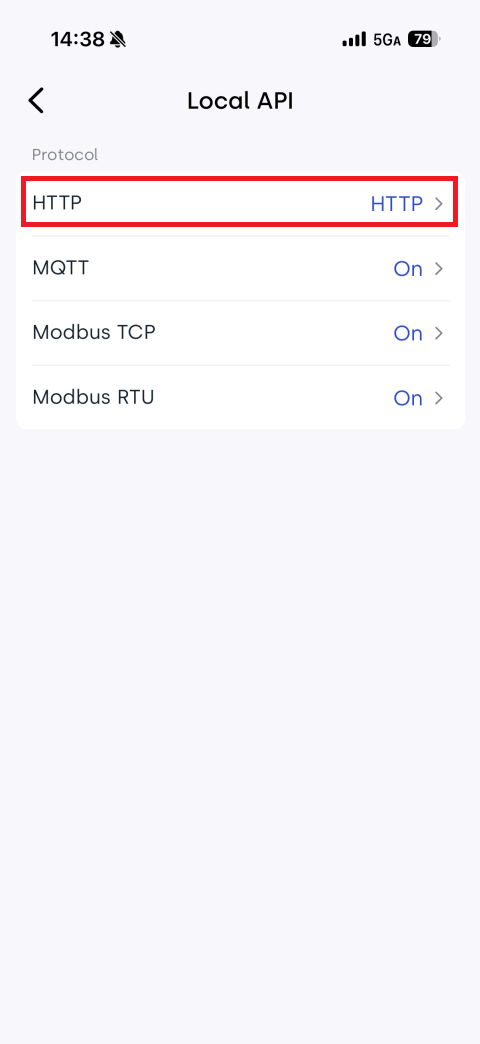
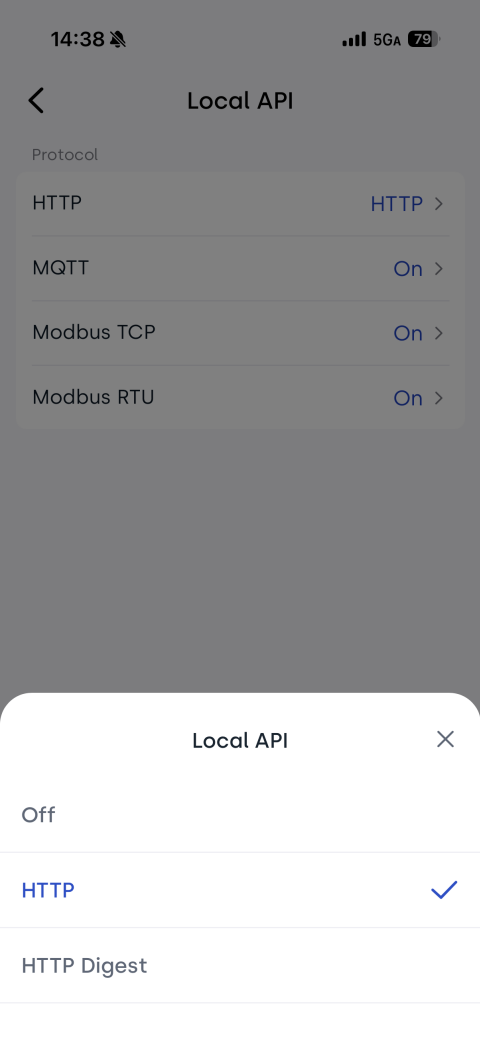
Device APIs are disabled by default and must be enabled before use. OpenData provides three modes:
- HTTP
- HTTP Digest
- HTTPS (Currently unsupported, coming soon)
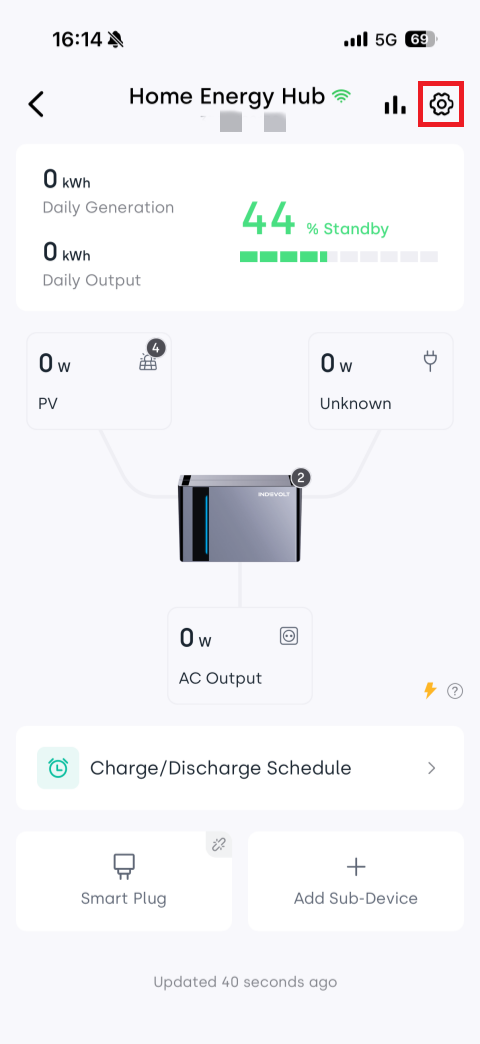
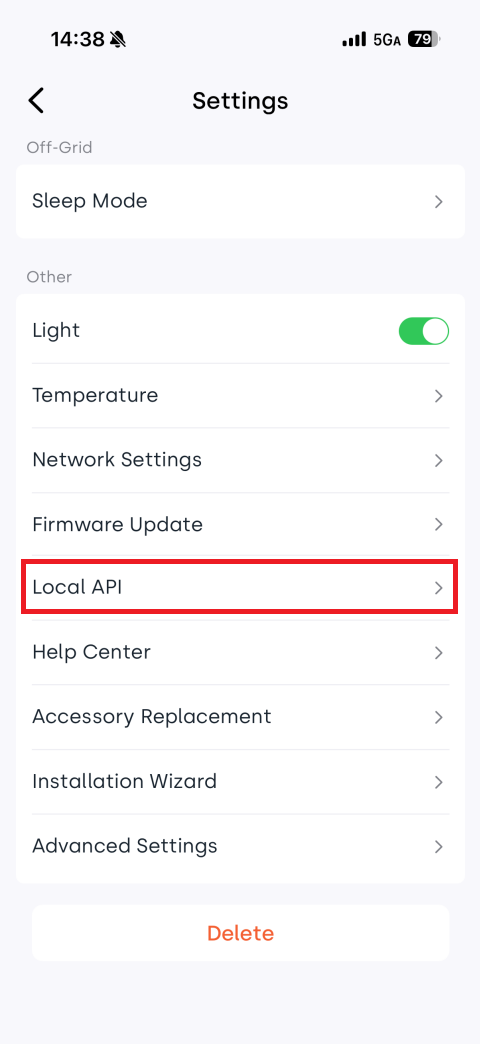
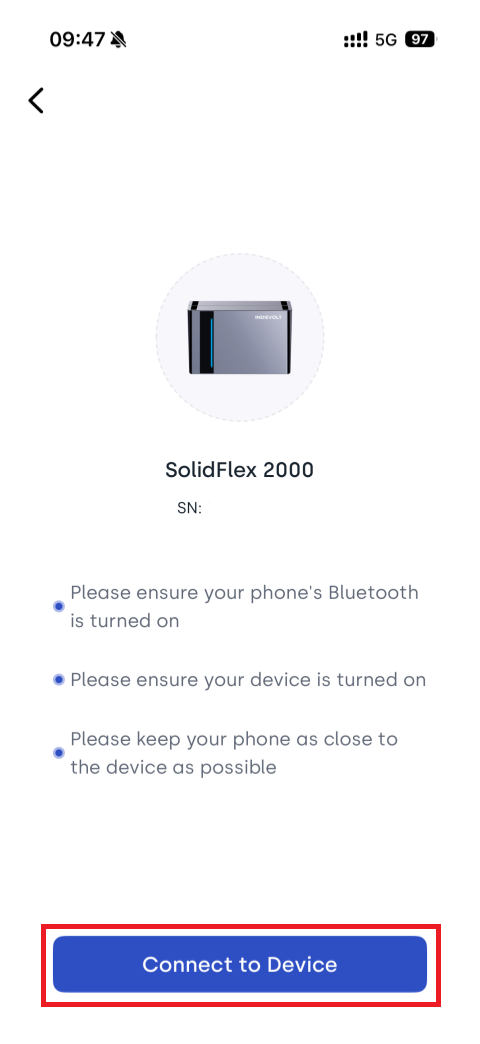
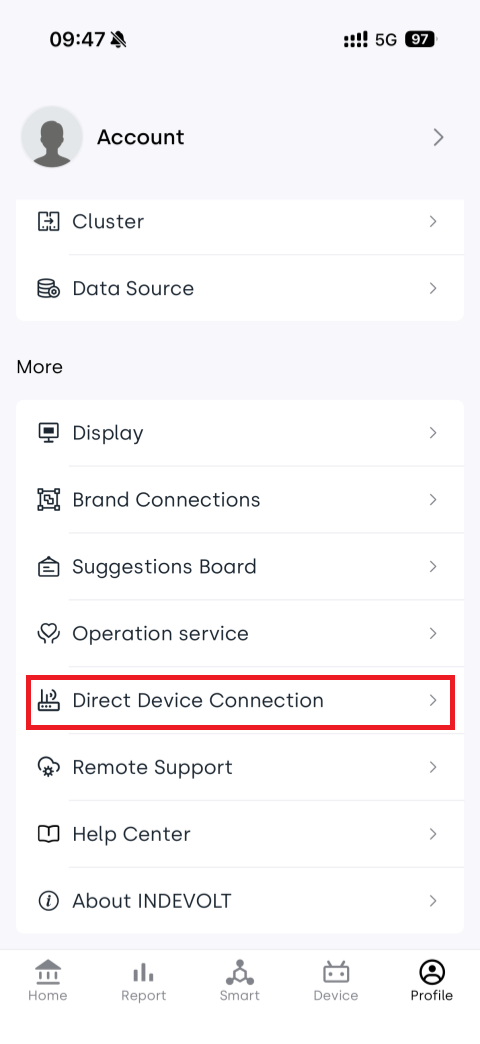
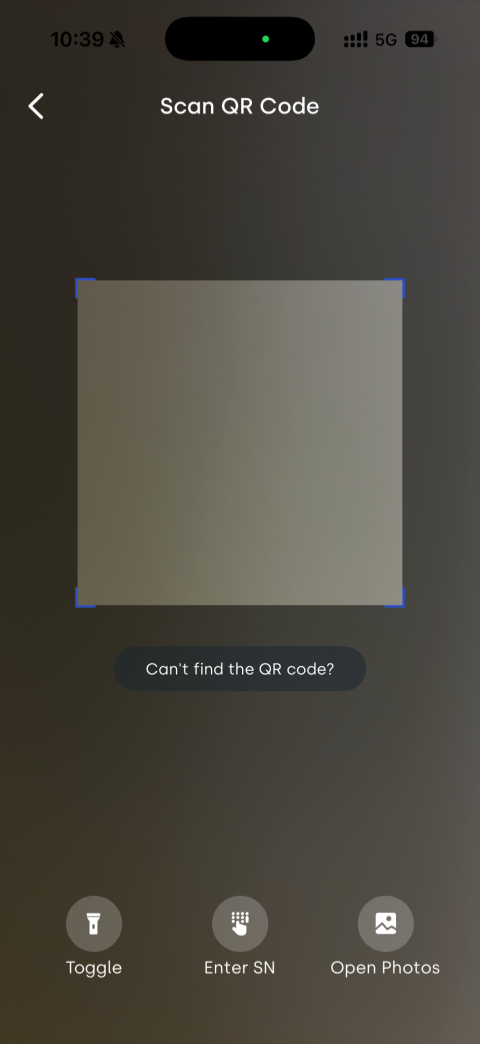
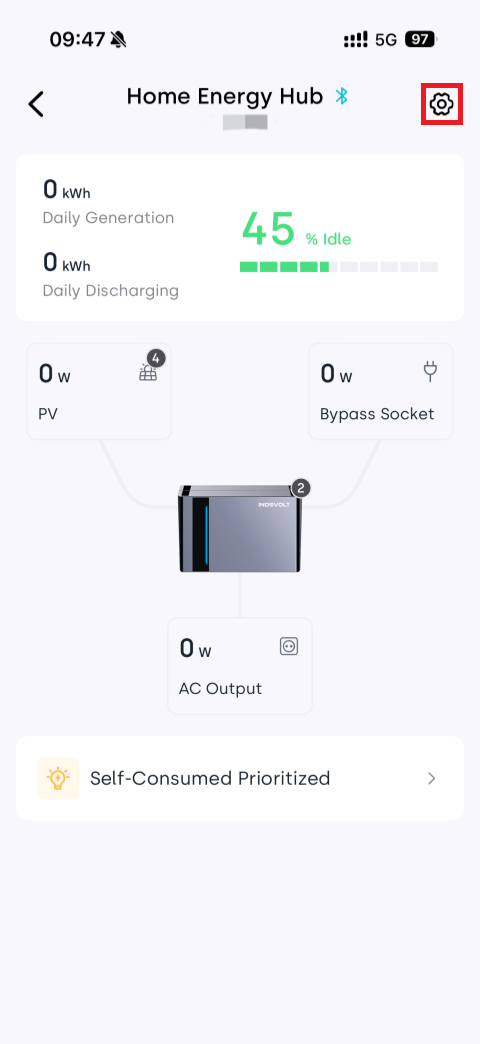
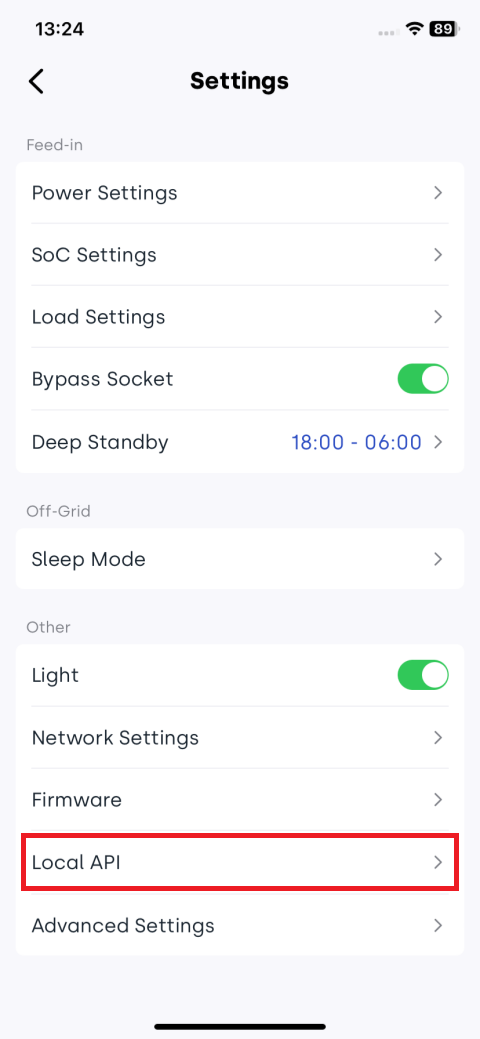
You can configure the Local API in the INDEVOLT App:
- Device is online: It is recommended to use Cloud Configuration, which is simpler to operate
- Device is not online: You can use Local Bluetooth Configuration to connect directly to the device and complete the setup
- Cloud
- Local Bluetooth
Step 3: Check Firmware Version
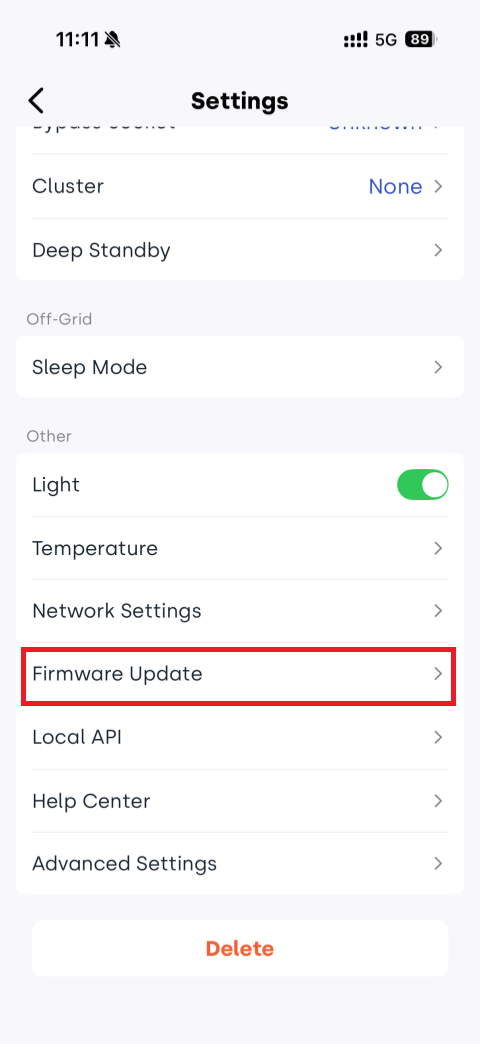
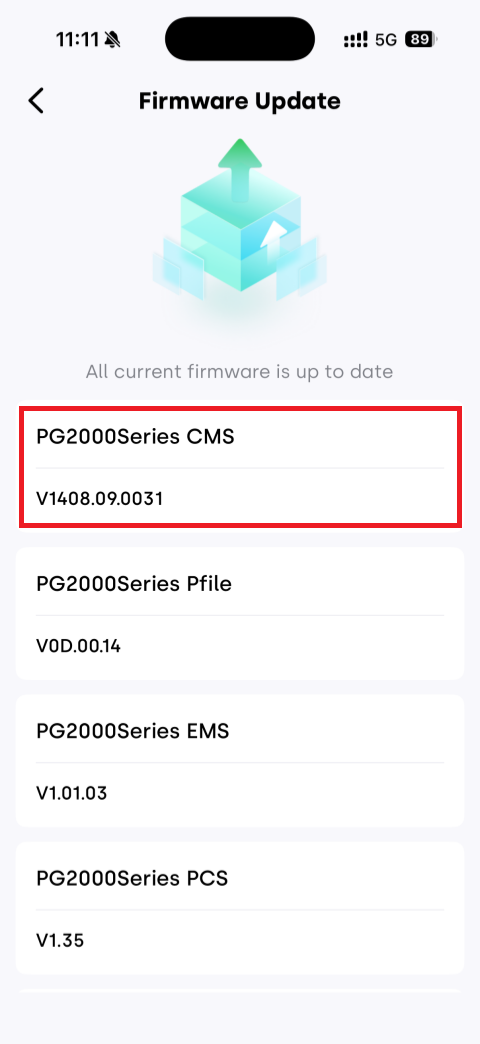
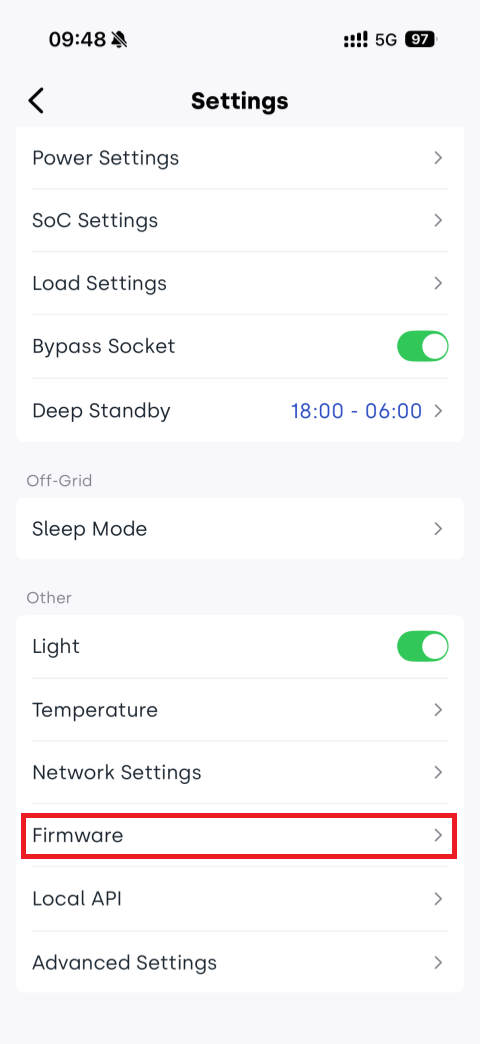
If it is lower than the minimum version listed in the table below, please update the firmware.
Model Applicable firmware version BK1600 / BK1600 Ultra V1.3.0A_R006.072_M4848_00000039 SolidFlex 2000 / PowerFlex 2000 CMS:V1406.07.002E PowerFlex 3000 AC
PowerFlex 3000 Hybrid
SolidFlex 3000 AC
SolidFlex 3000 AC Pro
SolidFlex 3000 Hybrid ProCMS: V1409.08.3034 SolidFlex 1200 CMS: V1407.07.202E You can check the device firmware version in the INDEVOLT app.
- Cloud
- Local Bluetooth
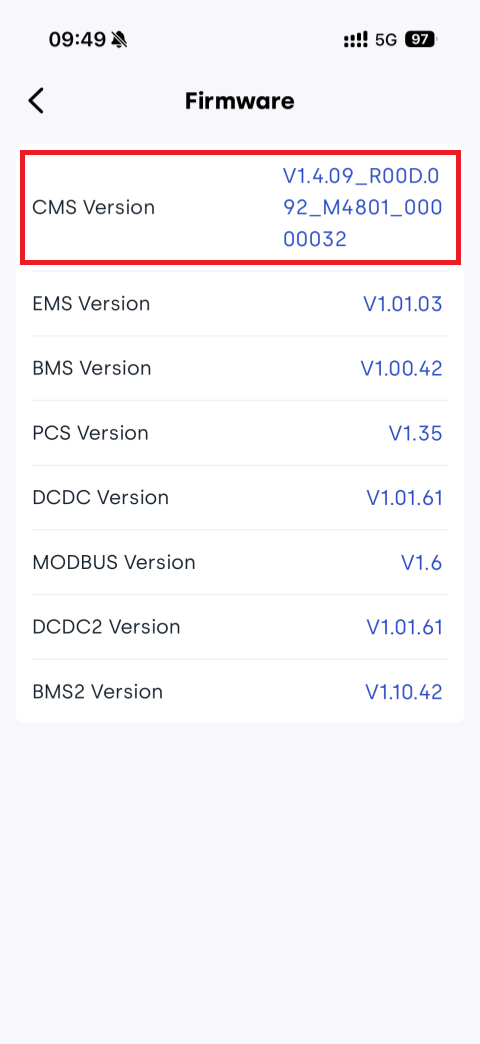
Step 4: Obtain IP Address
Choose any one of the following methods:
🧩Method 1: Query via router’s management list;
🧩Method 2: Check in App device settings:
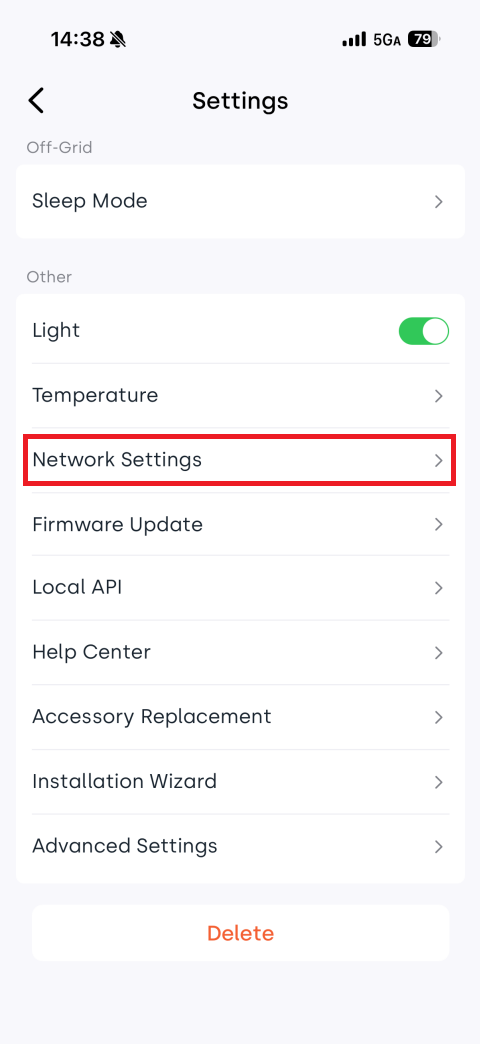
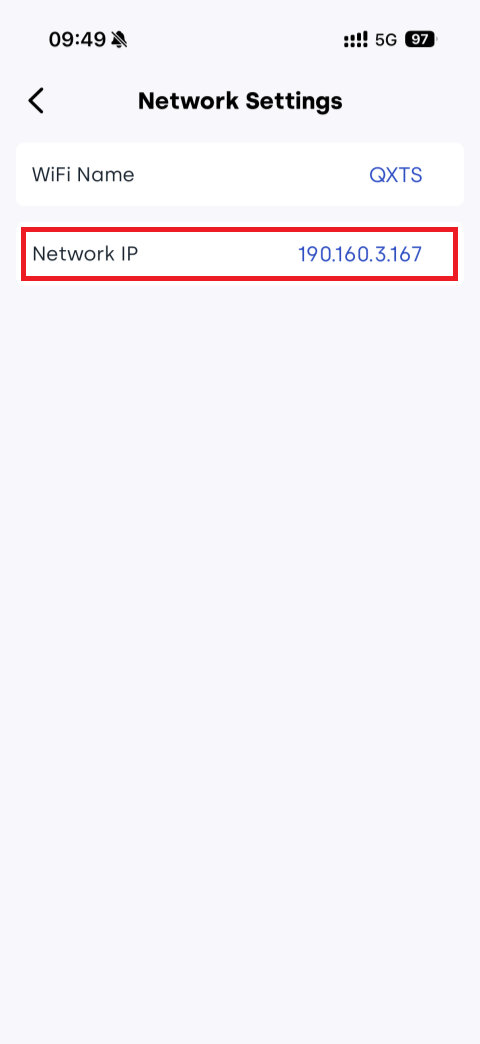
🧩Method 3: Obtain IP via UDP broadcast:
(1) Ensure the device's WiFi network and computer are on the same local area network.
(2) Open a network debugging tool.
(3) Select UDP protocol.
(4) Select Local Host Addr.
(5) Set Local Host Post to 10000.
(6) Click Open.
(7) Configure Remote with broadcast address and port: 255.255.255.255:8099.
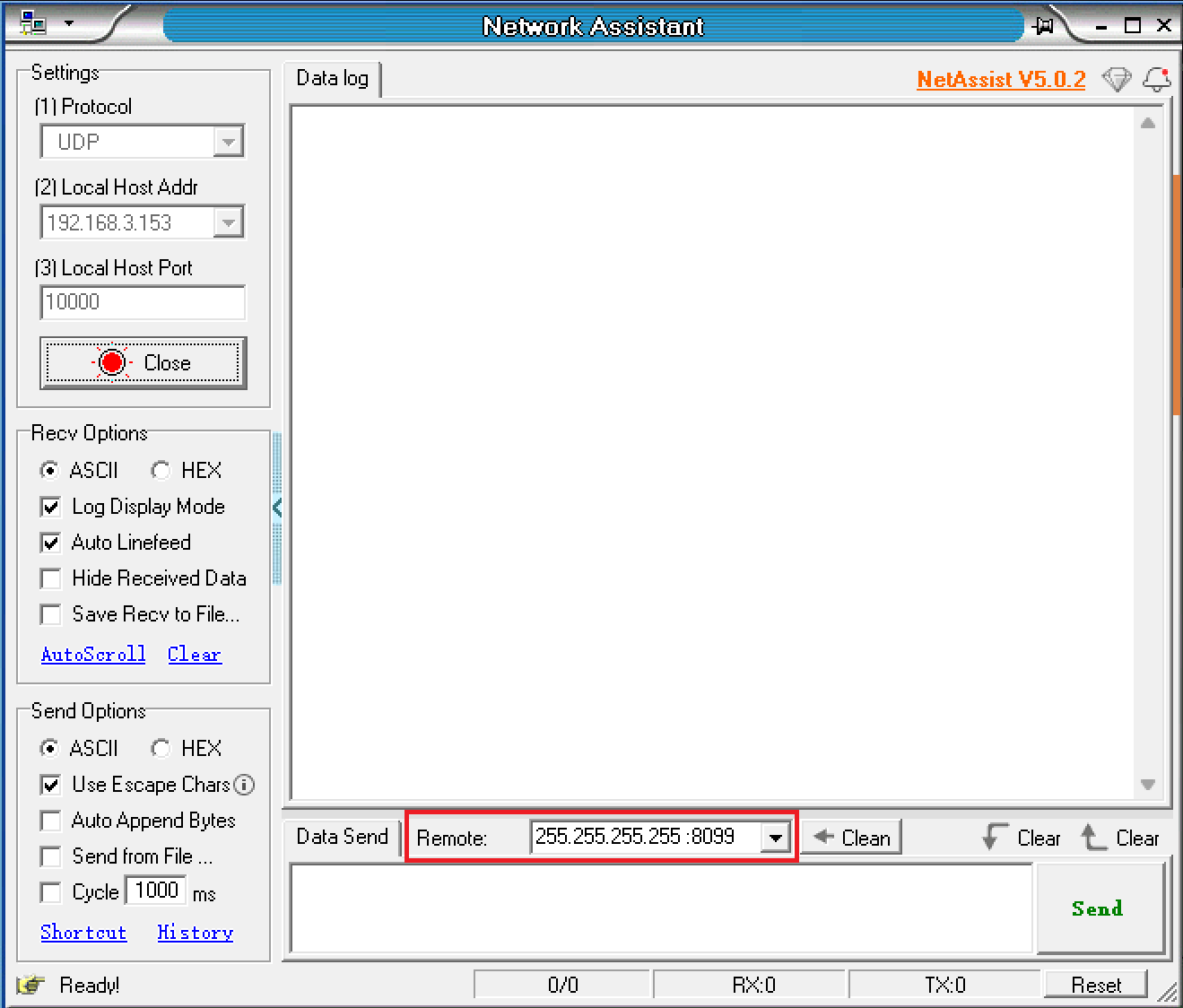
(8) Enter AT command in message box: AT+IGDEVICEIP.
(9) Click Send.
(10) INDEVOLT devices on the same network will respond with their IP address and serial number (SN).

2. HTTP Usage
2.1 Request Structure
Request Methods
| Method | Description |
|---|---|
| GET | Requests the server to return specified resources. |
| POST | Requests the server to perform specified operations. |
Request Address
http://{IP_ADDRESS}:8080/rpc/{API}
where
{IP_ADDRESS}: Device IP address.{API}: API name, for exampleIndevolt.GetData. For the complete API description, see API Reference.
Request Example
-
Retrieve device data:
POST http://192.168.31.213:8080/rpc/Indevolt.GetData?config={"t":[1664,1665]}
cURL command Example
-
Retrieve battery SOC:
curl -g -X POST -H "Content-Type: application/json" "http://192.168.1.75:8080/rpc/Indevolt.GetData?config={\"t\":[6002]}"
2.2 Rate Limit
To ensure system stability, all HTTP APIs are subject to the following limits:
| Type | Limit |
|---|---|
| Recommended request interval | ≥ 5 seconds |
| Minimum Request Interval | 1 second |
| Response Time | 1 second |
2.3 Errors
| Status code | Description | Explanation |
|---|---|---|
| 400 | Bad Request | The server cannot understand the format of the request; the client should modify the request and try again. |
| 401 | Unauthorized | The request requires authentication; the client needs to provide valid credentials. |
| 403 | Forbidden | The server understands the request but refuses to execute it, usually due to permission issues. |
| 404 | Not Found | The server cannot find the requested resource, possibly because the resource does not exist or has been deleted. |
| 405 | Method Not Allowed | The requested method is incompatible with the resource, for example, performing a write operation on a read-only resource. |
| 408 | Request Timeout | The server times out while waiting for the request; the client can retry later. |
| 409 | Conflict | The request conflicts with the current state of the resource, for example, multiple users editing the same resource simultaneously. |
| 410 | Gone | The requested resource has been permanently deleted and there is no new address. |
| 500 | Internal Server Error | The server encounters an unknown error and cannot complete the request. |
| 501 | Not Implemented | The server does not support the requested method and cannot execute it. |
| 502 | Bad Gateway | The server, acting as a gateway or proxy, received an invalid response from the upstream server. |
| 503 | Service Unavailable | The server is currently unable to handle the request, possibly due to overload or maintenance. |
| 504 | Gateway Timeout | The server, acting as a gateway or proxy, did not receive a timely response from the upstream server. |
| 505 | HTTP Version Not Supported | The server does not support the HTTP version used in the request. |
3. HTTP Digest
Digest Authentication verifies user identity in network communications, preventing plaintext password transmission.
In HTTP + Digest mode:
- New or factory-reset devices must first use the
User.SetConfiginterface to modify the default password. - Other APIs become accessible only after successful password modification.
Required tools
- ASCII to hexadecimal converter
- Hexadecimal to base64 converter
- AES_GCM encryption tool
Password modification example
- Convert the new password, original password, and random number from string to hexadecimal.
| ASCII string | Hexadecimal | |
|---|---|---|
| New password | qwertyui | 71 77 65 72 74 79 75 69 |
| Original password | qazwsxed | 71 61 7a 77 73 78 65 64 00 00 00 00 00 00 00 00 (Supplement 0 to 16 bytes) |
| Random number | 123456 | 31 32 33 34 35 36 00 00 00 00 00 00 (Supplement 0 to 12 bytes) |
-
Use AES_GCM encryption tool to encrypt, fill in the corresponding information as follows.
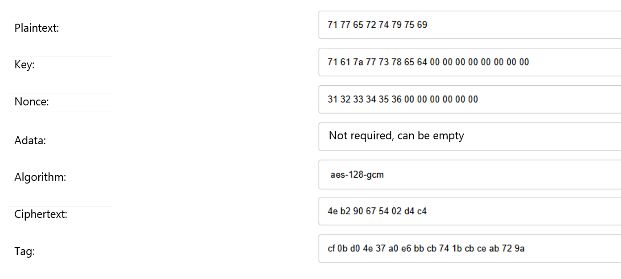
-
Convert ciphertext and tag from hexadecimal to base64.
| Hexadecimal | Base64 | |
|---|---|---|
| Ciphertext | 4e b2 90 67 54 02 d4 c4 | TrKQZ1QC1MQ= |
| Tag | cf 0b d0 4e 37 a0 e6 bb cb 74 1b cb ce ab 72 9a | zwvQTjeg5rvLdBvLzqtymg== |
-
Complete the digest authentication fields and send the
User.SetConfigrequest with the new password. The result returns true, indicating successful modification.POST
http://{IP_ADDRESS}:8080/rpc/User.SetConfig?config={"Password":"{PASSWORD}"}where
{IP_ADDRESS}:Device IP address.{PASSWORD}:Base64-encoded ciphertext encrypted with AES128-GCM.
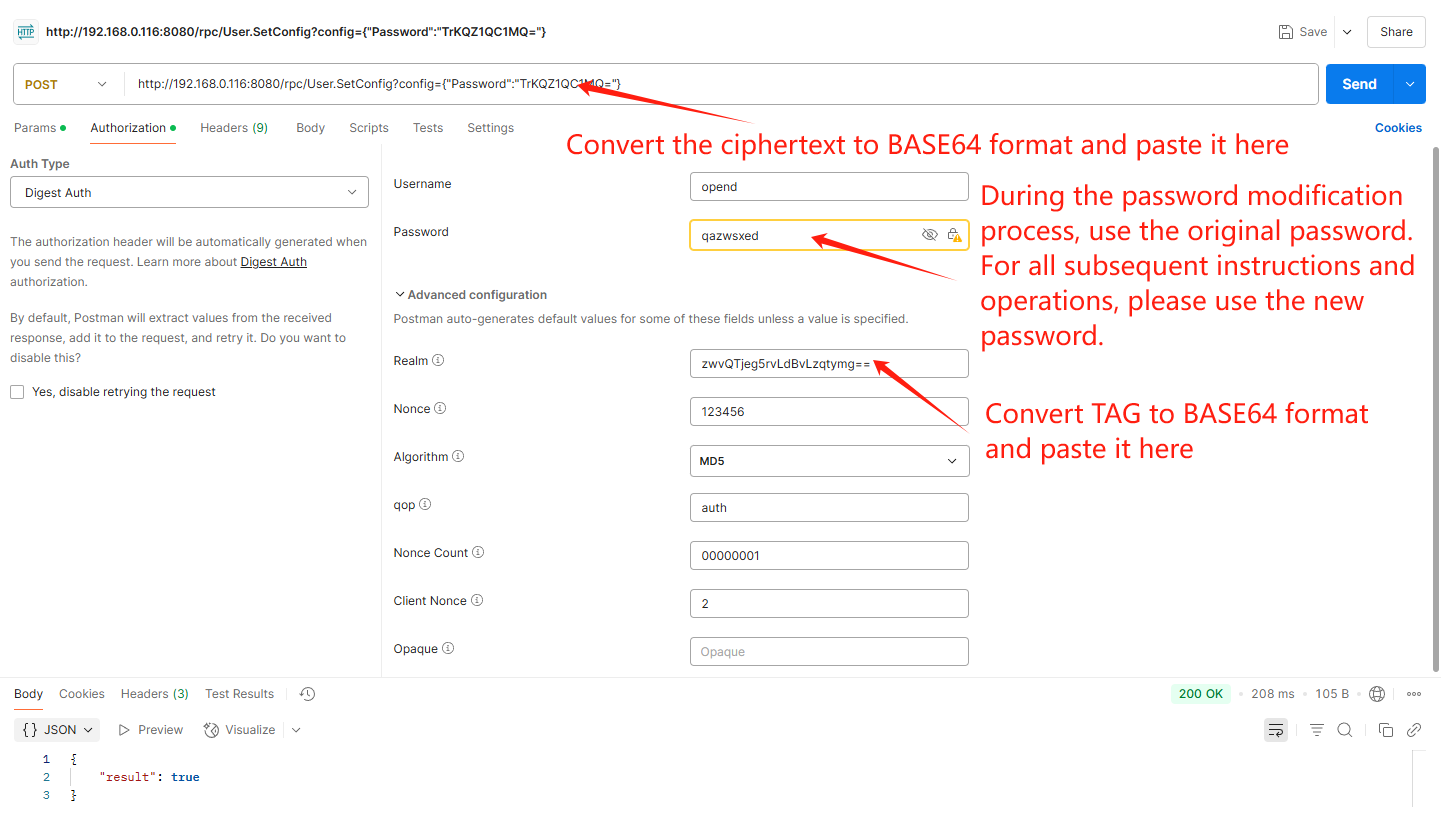
| Parameter | Type | Description | Attribute |
|---|---|---|---|
| Username | String | Default opend | required |
| Password | String | Default device key. - Using the default password can only request the User.SetConfig interface to change the password. - Once the password is modified, using the modified password can request other interfaces. | required |
| Realm | String | - If calling the User.SetConfig interface to update the password, you need to pass the AES128-GCM tag value. - If calling other interfaces in Base64 format, you may use a random value. | required |
| Nonce | Default type of Digest | Random values can be used | required |
| Algorithm | Default type of Digest | MD5 | required |
| qop | Default type of Digest | auth | required |
| Nonce Count | Default type of Digest | Random values can be used | required |
| Client Nonce | Default type of Digest | Random values can be used | required |
4. HTTPS (Not Supported Yet)
HTTPS encrypts communication data based on TLS and verifies the server identity through digital certificates, effectively preventing data from being intercepted or tampered with.
HTTP and HTTPS use the same API interfaces. The request methods, request parameters, and response formats are exactly the same. You only need to replace the protocol in the request URL from http:// to https://.
5. FAQ
Q: HTTP request returns 401 Unauthorized.
- Verify the username and password for Digest Authentication.
- New/factory-reset devices only support access to the designated interface:
User.SetConfig. Refer to Digest Authentication section - other APIs become accessible after successful password modification and authentication with the new password.
Q: Device fails to return IP address after broadcast command.
The OpenData API is not enabled, making this function inactive. Refer to Enable API section.