Real-Time Control
The Real-Time Control mode allows you to manually control the device’s charging and discharging status and power when needed.
After configuration, the system will execute your command immediately and automatically stop when the preset condition is reached.
Suitable Users
- Temporary fast charging or discharging requirements
- Testing, debugging, or verifying system behavior
- Advanced users who are familiar with device operating logic
- Scenarios requiring short-term manual intervention
How the System Works
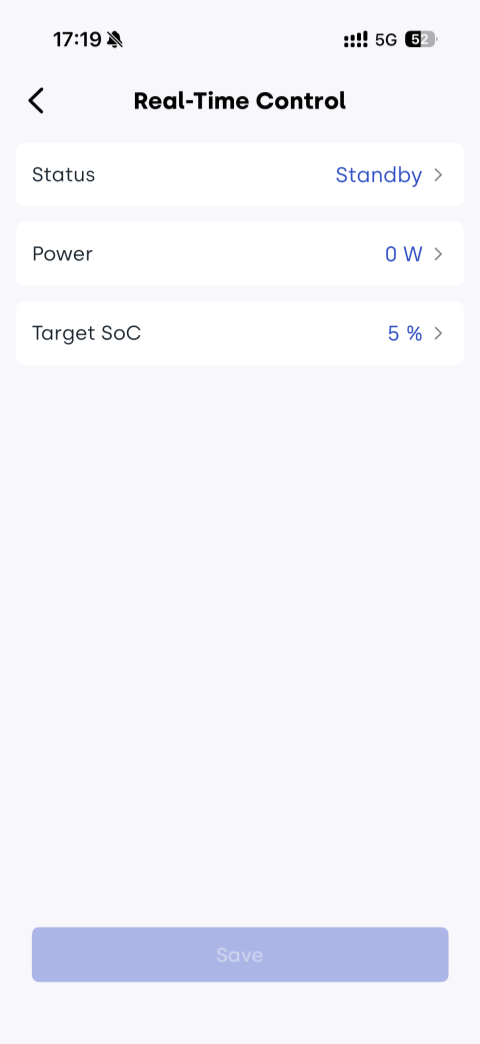
In real-time control mode, you need to manually set the following parameters:
- Status: Standby / Charge / Discharge
- Power: 0–2400 W
- Target SoC: 5%–100%
After saving the settings, the system will immediately execute:
- Charging state: The device charges at the configured power level
- Discharging state: The device supplies power to the load at the configured power level
- Standby state: The device remains inactive without charging or discharging
When the battery level reaches the configured target SoC, the system will automatically stop charging or discharging and switch to standby mode.
Energy Priority Logic
- Household loads are powered first by solar PV energy
- When PV energy is insufficient, the battery provides supplemental discharge
- When both PV and battery energy are insufficient, power is drawn from the grid
How to Configure Real-Time Control
Steps:
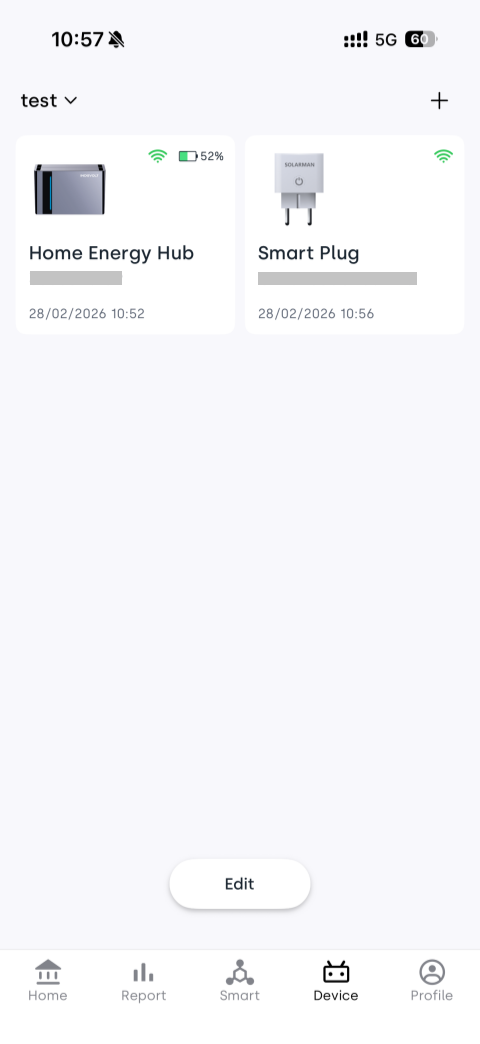
- Ensure your device has been added to your home in the INDEVOLT App
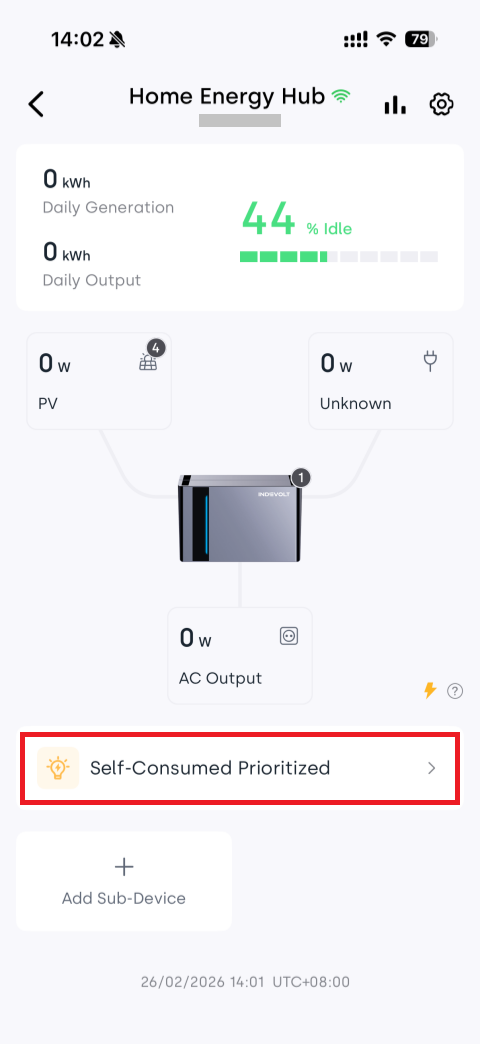
- Tap the Device tab at the bottom and select the device card to enter the device details page
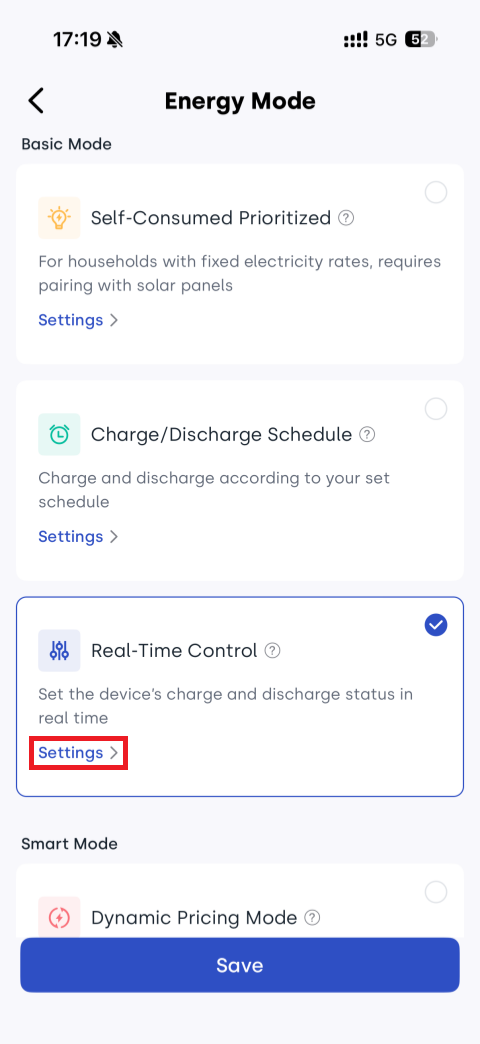
- Tap the energy mode area (which dynamically displays the selected mode) to enter the mode selection page
- Select Real-Time Control and tap Settings
- Configure parameters according to your needs:
- Status: Standby / Charge / Discharge
- Power: 0–2400 W
- Target SoC: 5%–100%
- Tap Save to apply the settings immediately
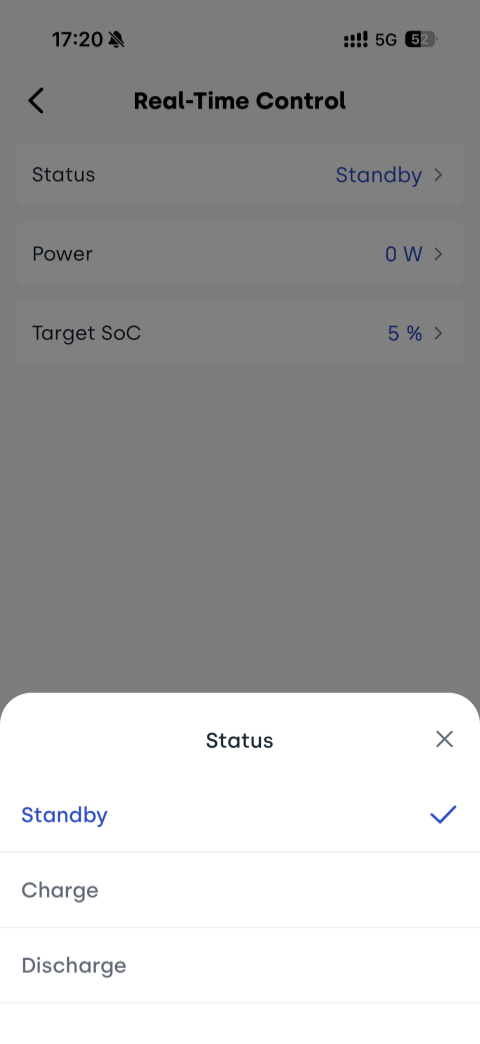
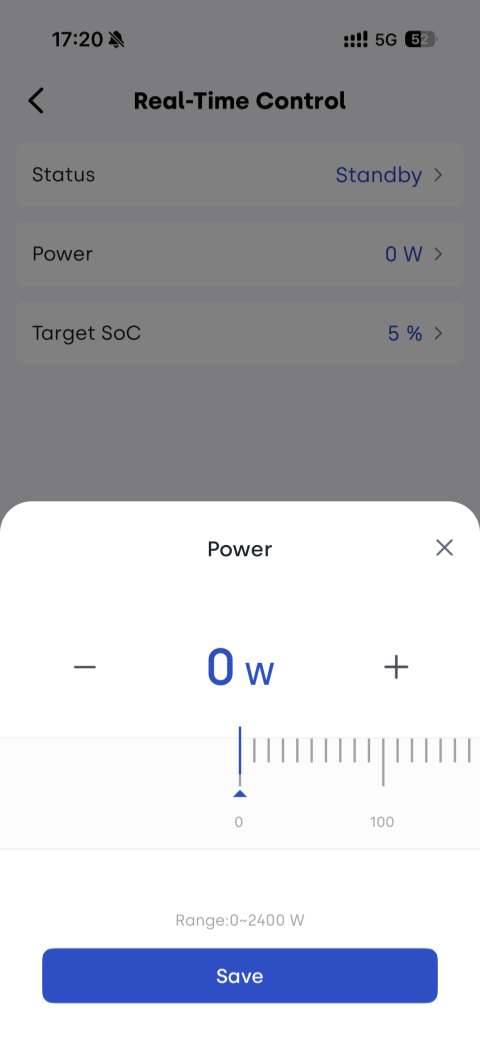
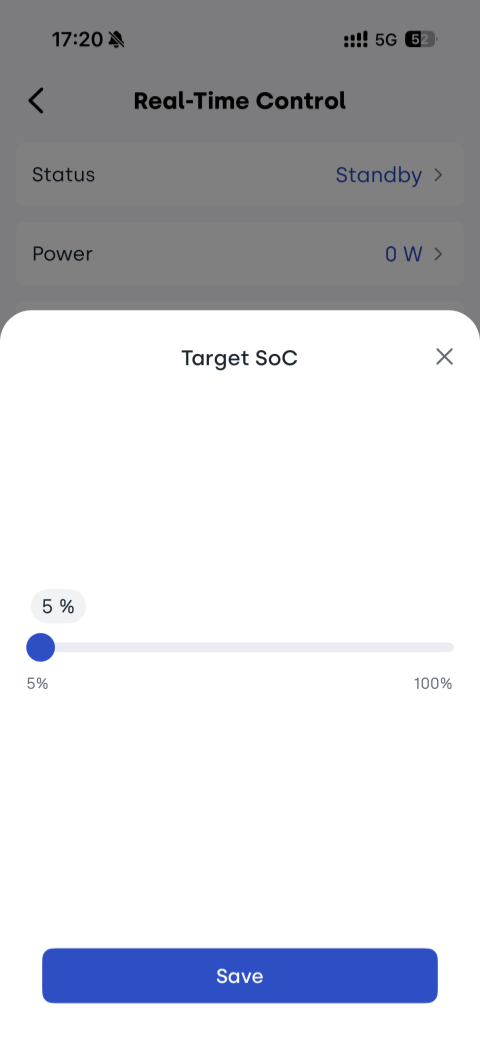
Recommended Device Parameter Settings
On the device details page, tap the ⚙ Settings icon in the upper right corner to enter the settings page.
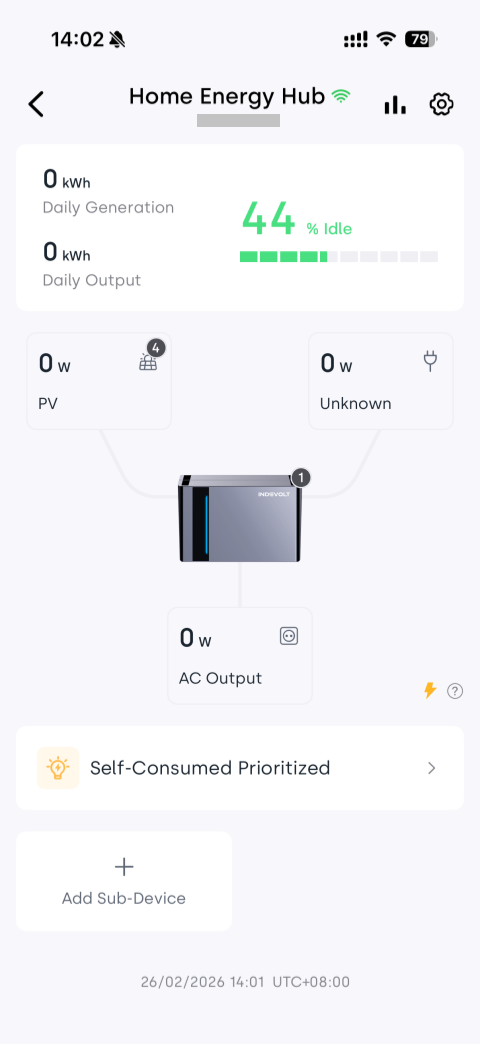
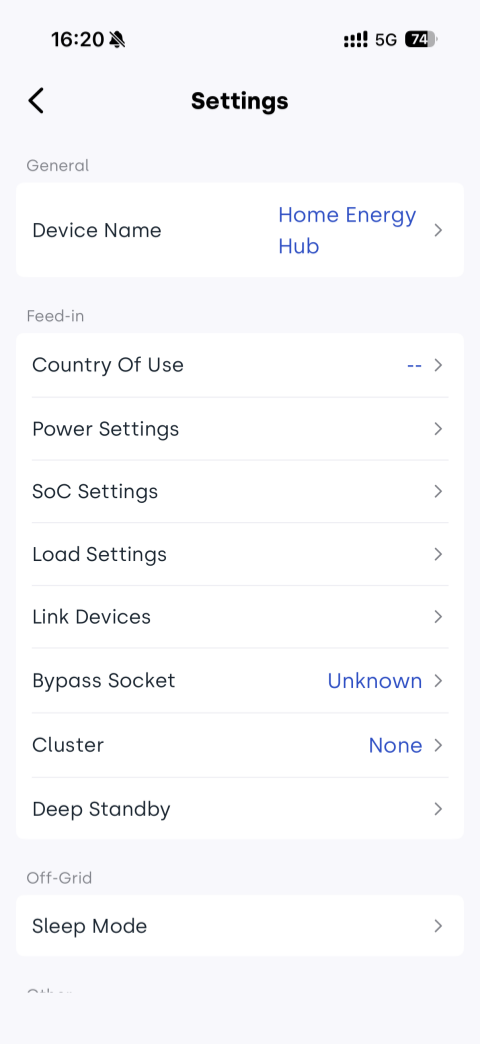
For a more stable user experience, the following configurations are recommended:
| Settings | Recommended Configuration |
|---|---|
| Max AC output power (discharge) | Not lower than the home actual load power and compliant with local regulations |
| Inverter input limit (charge) | Not lower than the desired charging power |
| Feed-in power limit | Recommended value: 0 (enable zero feed-in) |
| Bypass | Keep disabled unless necessary |
| Backup SOC | Recommended: 20% |