Charge/Discharge Schedule
The Charge/Discharge Schedule mode allows you to specify when the system should charge, discharge, or remain in standby during different time periods of the day.
Once configured, the system will strictly follow your schedule automatically without requiring daily manual adjustments.
Suitable Users
This mode is recommended if any of the following conditions apply:
- Your region has time-of-use or peak-valley electricity pricing
- There is a significant difference between daytime and nighttime electricity consumption
- Your daily routine and energy usage pattern are relatively fixed
How the System Works
In this mode, you can divide a day into time segments and assign an operating behavior for each segment:
- Charging: The system charges the battery at the configured power level
- Discharging: The system supplies power based on load demand or preset power level
- Idle: The system does not actively charge or discharge
Energy Priority Logic
- Household loads are powered first by solar PV energy
- If PV energy is insufficient, battery discharge supplements the load
- If both PV and battery energy are insufficient, power is drawn from the grid
Load Selection
| Load Type | Discharge Period | Charge Period |
|---|---|---|
| Smart Plug | The system discharges according to the actual power consumption of the device connected to the smart plug. You can set an additional power offset value for fine-tuning: Actual discharge power = Load power + offset power | The system charges according to the scheduled charging power |
| Smart Meter (installed on the grid input side) | The system adjusts operation to target meter power = 0: - Positive meter power → discharge to compensate consumption - Negative meter power → charge to absorb excess energy | The system charges according to the scheduled charging power |
| Key Load | The system supplies power only to devices connected via the bypass port and does not feed power back to the grid | The system charges according to the scheduled charging power |
| Custom Load Curve | The system discharges according to the user-defined load curve | The system charges according to the scheduled charging power |
If the load is set to Smart Plug or Smart Meter and the device goes offline, the system will automatically switch to discharge based on the load curve power.
To prevent overload or abnormal operation, the system will automatically select the safest minimum value:
- During discharge: the system will use the minimum value among maximum AC output power, load curve power, and load power
- During charging: the system will use the minimum value among inverter maximum input power and charging power
How to Configure Charge/Discharge Schedule
Steps:
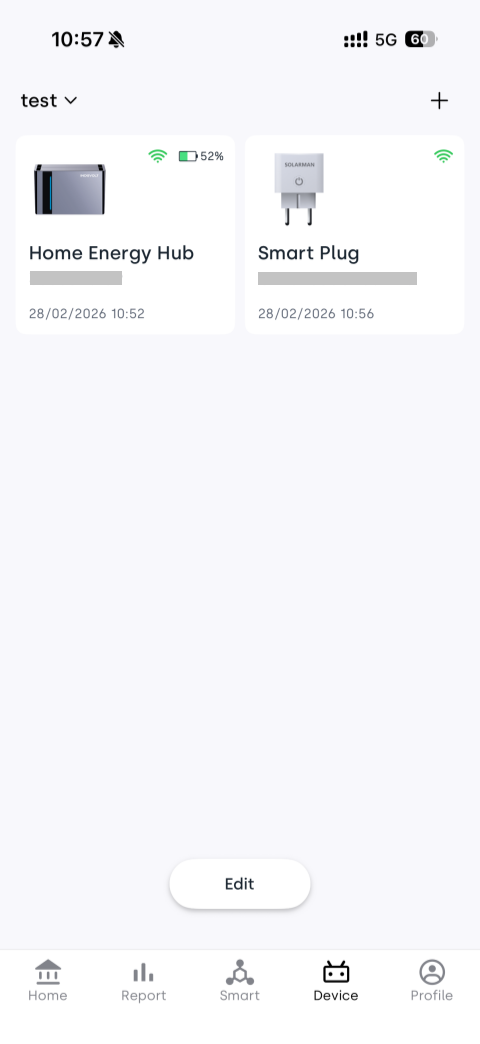
- Ensure your device has been added to your home in the INDEVOLT App.
- Tap the Device tab at the bottom and select the device card to enter the device details page.
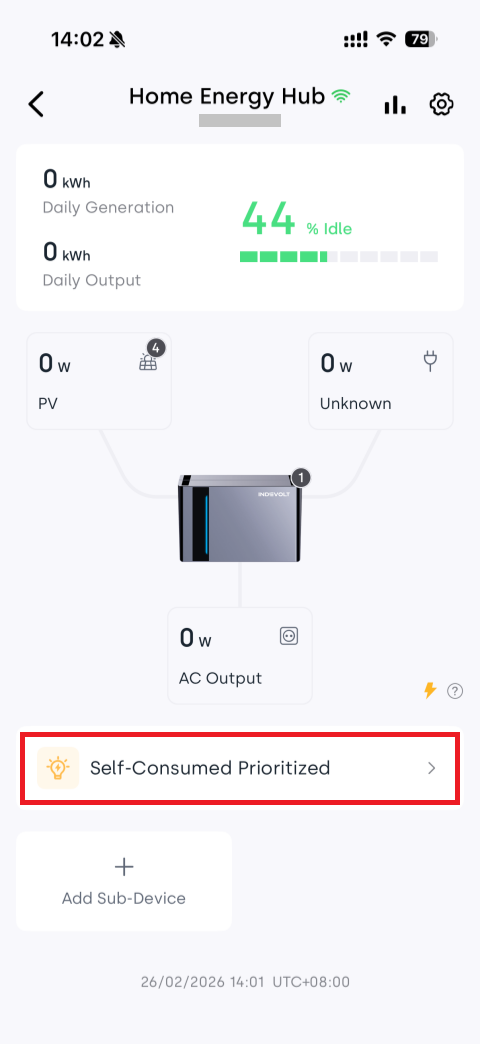
- Tap the energy mode area (which dynamically displays the currently selected mode) to enter the mode selection page.
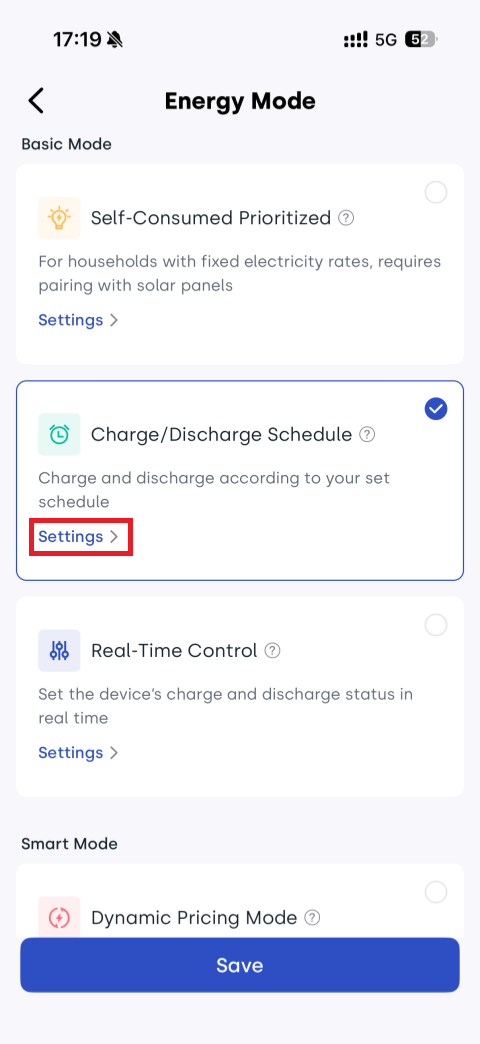
- Select Charge/Discharge Schedule and tap Settings.
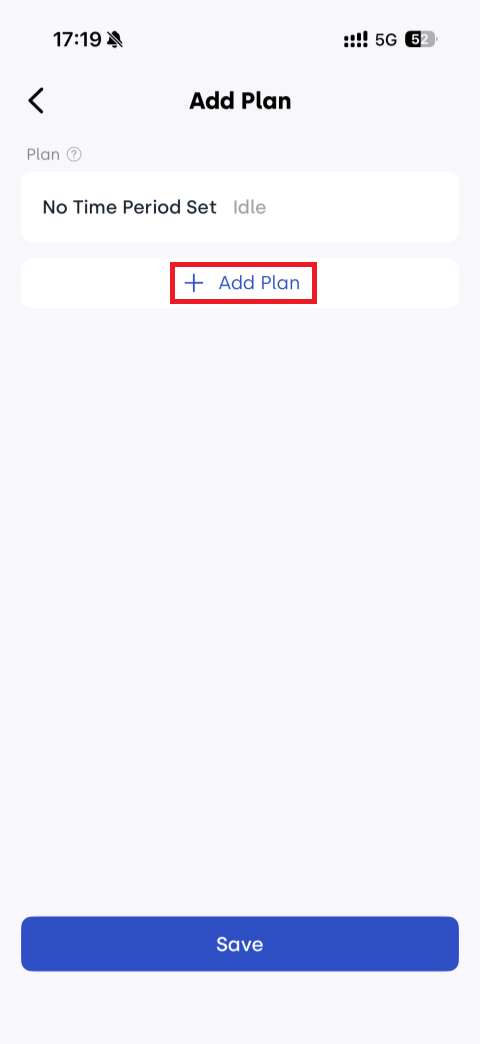
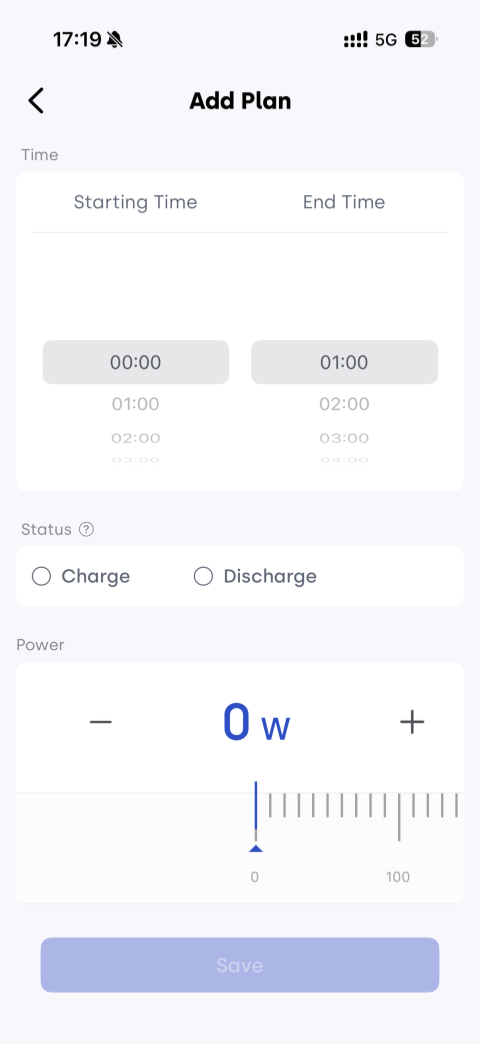
- Tap + Add Plan:
- Set starting time / end time
- Select charging or discharging status
- Configure corresponding power level
- Tap Save to apply the settings immediately.
Recommended Device Parameter Settings
In the device details page, tap the ⚙ Settings icon in the upper right corner to enter the settings page.
To achieve a more stable user experience, the following configurations are recommended:
| Settings | Recommended Configuration |
|---|---|
| Max AC output power (discharge) | Not lower than the home actual load power and compliant with local regulations |
| Inverter input limit (charge) | Not lower than the desired charging power |
| Feed-in power limit | Recommended value: 0 (enable zero feed-in) |
| Bypass | Keep disabled unless necessary |
| Backup SOC | Recommended: 20% |