Third-Party Inverter Integration
If you already have a photovoltaic inverter from another brand installed at home, you can integrate its data into the cloud platform through the following methods. This enables you to:
- Monitor PV generation in real time
- Analyze household consumption and surplus energy flow
- Optimize battery charging and discharging strategies
Currently, two integration methods are supported:
- Cloud account binding (cloud-to-cloud integration)
- Using a smart plug or smart meter to collect generation data
Method 1: Cloud-to-Cloud Integration
Supported Scenarios
The following brands are currently supported:
- GOODWE
- GROWATT
- FusionSolar
- SolarEdge
- SolaX
- Solplanet
More brands will be supported in future updates.
How It Works
By linking your account from a third-party energy platform, the App can directly retrieve inverter data associated with that account.
Configuration Steps
- Open the INDEVOLT App and go to the Profile page.
- Tap Energy Integrations.
- Select your inverter brand.
- Log in to the third-party platform and grant authorization as prompted.
- Once authorized, the system will automatically sync all devices under the account and add them to your home.
👉 Detailed authorization guide: Connect Energy Brand Guide
Method 2: Data Collection via Smart Plug or Meter
Smart Plug
Smart Meter
How It Works
A smart plug or smart meter measures the inverter’s AC output power. The collected data is then used as PV generation input for energy statistics and system optimization.
Configuration Steps
Step 1: Install the Measurement Device
Choose one of the following options based on your situation:
Option A: Smart Plug- Connect the inverter’s AC output to the smart plug.
- The meter is installed in the home electrical circuit to measure voltage.
- The CT clamp is attached to the inverter’s AC output cable to measure current direction and magnitude.
Step 2: Add the Device
Add the smart plug or smart meter in the INDEVOLT App and ensure the device is online.
Step 3: Configure Data Source
- Open the App.
- Go to Profile > Data Source.
- In the Solar data source section, tap Custom.
- Select the plug or meter used for energy statistics.
- Save the configuration.
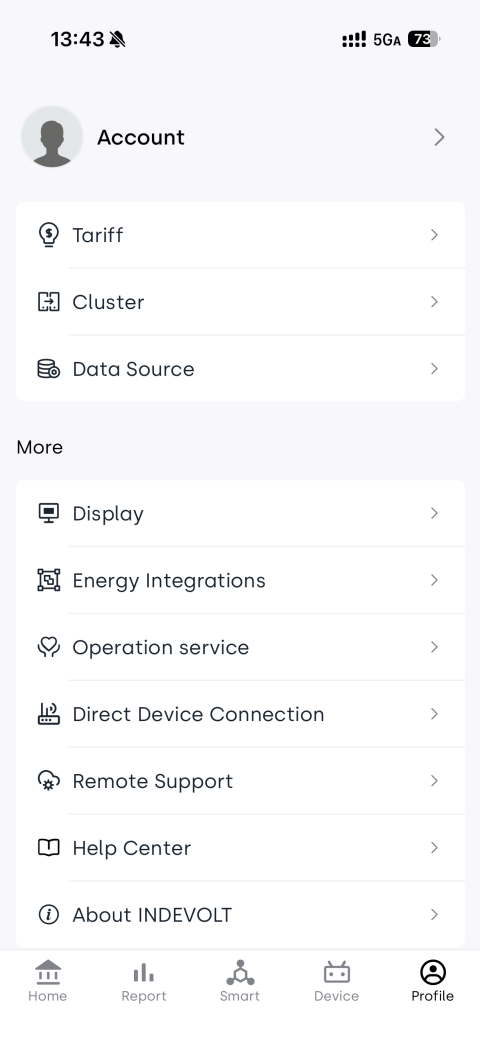
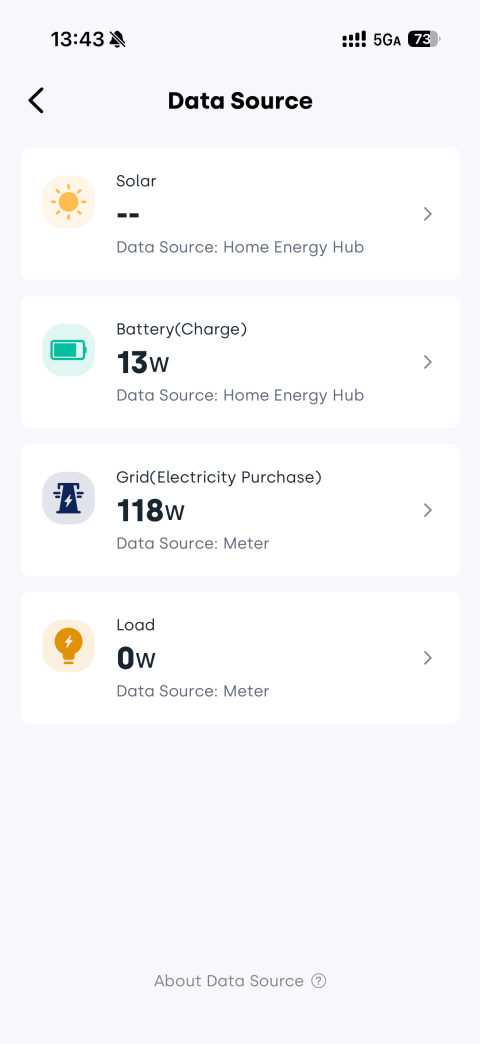
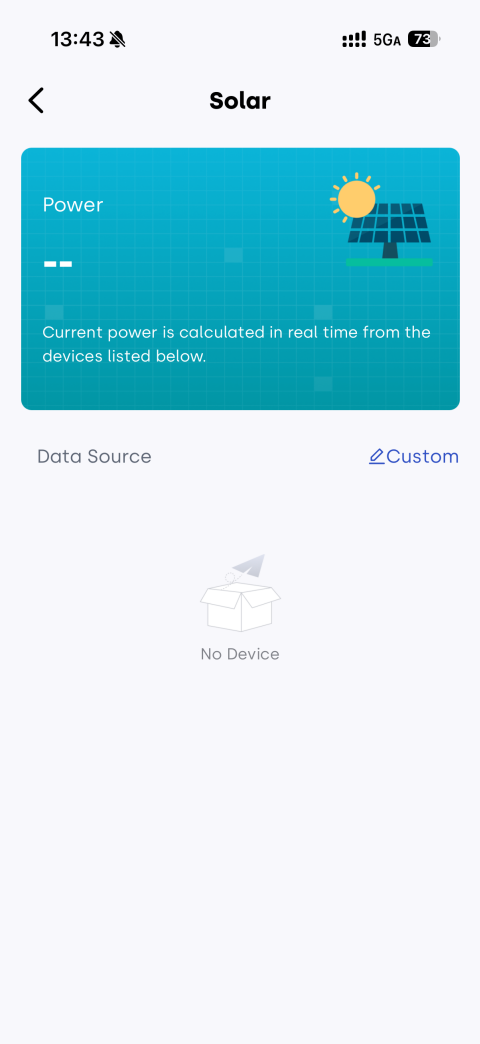
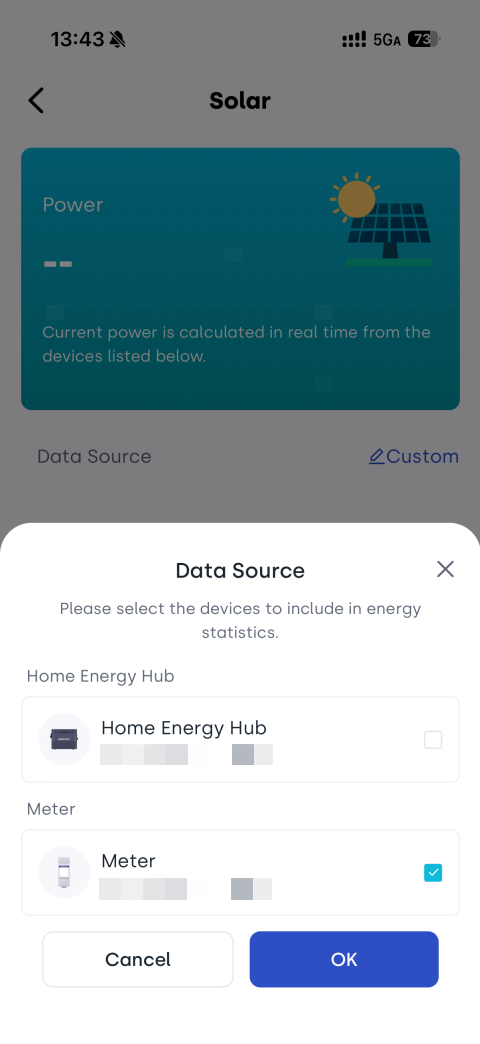
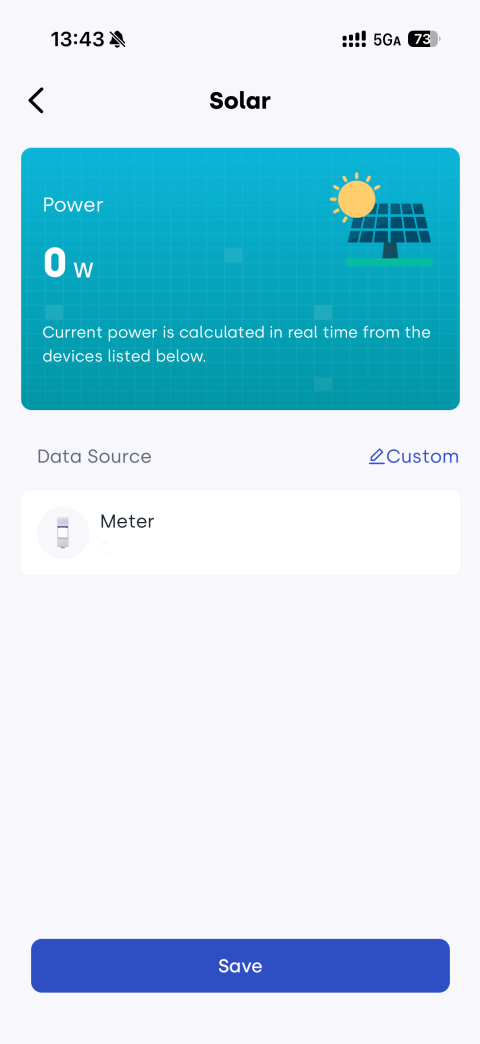
Once configured, the system will automatically treat the measured power data as PV generation data. It will then be used for household energy flow analysis, generation statistics, and dashboard visualization.
- Ensure the measurement device is installed on the inverter’s AC output circuit.
- Incorrect CT installation direction may cause negative or abnormal power readings.
- This method is an indirect measurement approach, so values may slightly differ from inverter-native readings.