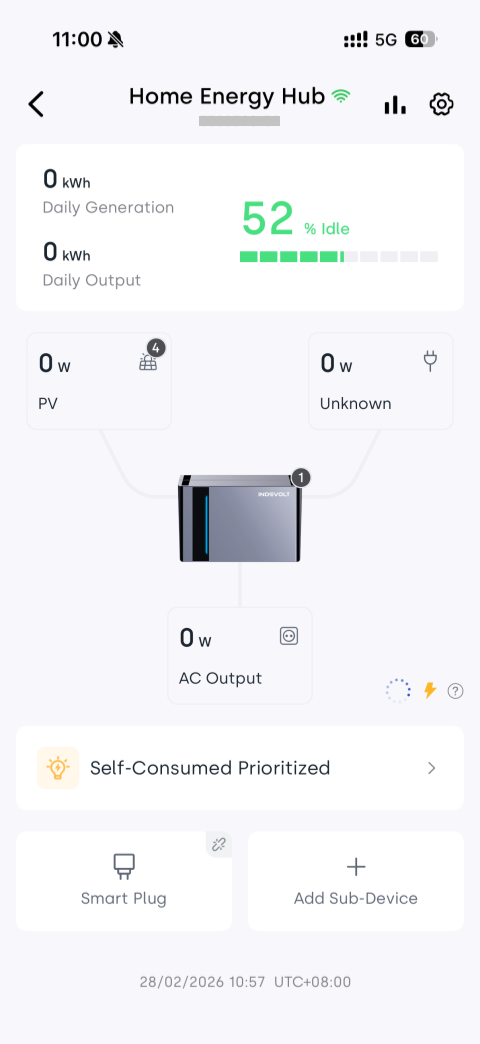
Link Devices
By linking the Micro Energy Storage system with other household devices (such as smart plugs, smart meters, or meter readers), the system can securely share energy consumption data within the local network.
This allows the system to more accurately determine load demand and automatically adjust charge and discharge power.
Why Link Other Devices?
If the Micro Energy Storage system is not connected to any external devices, it cannot detect load changes during operation and can only work based on fixed rules:
- The system cannot determine real-time household power consumption and cannot automatically adjust power output accordingly
- Charging and discharging can only follow fixed power levels or scheduled time plans
In practical use, this may lead to:
- Excessive discharge → Energy may be fed back into the grid
- Insufficient discharge → Household loads may still draw power from the grid, preventing optimal battery utilization
The core purpose of device connection is to provide load feedback to the Micro Energy Storage system, enabling real-time load awareness and dynamic charge/discharge control.
Supported Device Types
Depending on your usage scenario, the Micro Energy Storage system can connect to the following device types:
Smart Plugs
Suitable for scenarios requiring precise control of energy consumption for specific appliances or circuits.
Capabilities:
- Real-time monitoring of power consumption on the plug-connected device
- The Micro Energy Storage system will discharge following this load to achieve precise power matching
- Supplies power only to devices connected to the plug without affecting other household circuits
Smart Meters
Suitable for users who want whole-house energy management.
Capabilities:
- Real-time monitoring of total household power consumption
- Determine whether energy is drawn from the grid or fed back to the grid
- Automatically adjust system power based on meter data to achieve zero feed-in or maximize self-consumption
Meter Readers
Used as an alternative when the meter itself cannot be connected to the network.
Working Principle:
- The Micro Energy Storage system does not connect directly to the meter
- Energy data is obtained through the meter reader
- System power output is adjusted indirectly based on the measured consumption data
How to Link Devices
Before starting, please ensure the following conditions are met:
- The Micro Energy Storage and the devices to be connected (such as smart plugs, smart meters, or meter readers) are added to the same home in the app.
- All devices to be connected are powered on and properly connected to the network.
👉 If devices have not been added yet, please refer to: Add Device
- On the INDEVOLT App Devices page, tap the Micro Energy Storage device card to enter the Device Details page
- Tap + Add Sub-Device at the bottom of the page
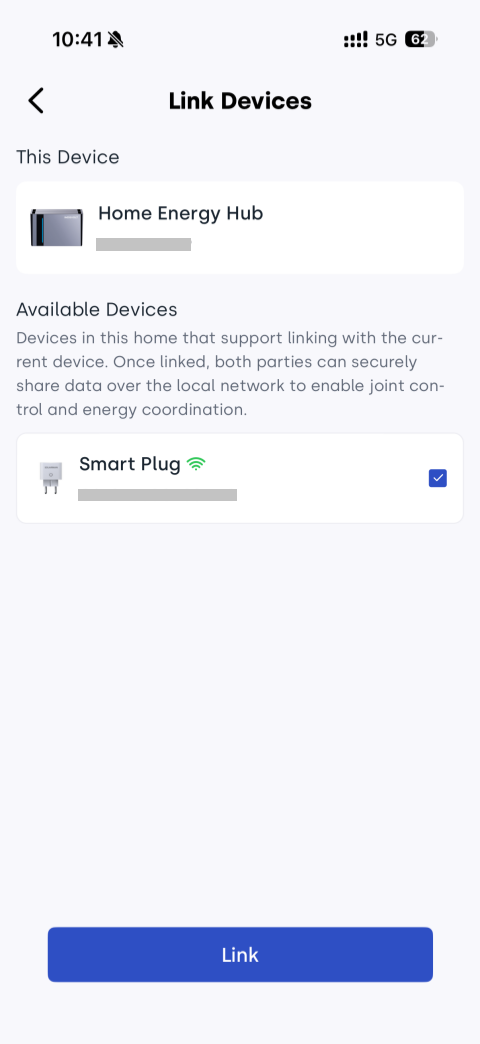
- Select the device you want to connect from the list of available devices
- Tap Link and wait for the system to complete configuration
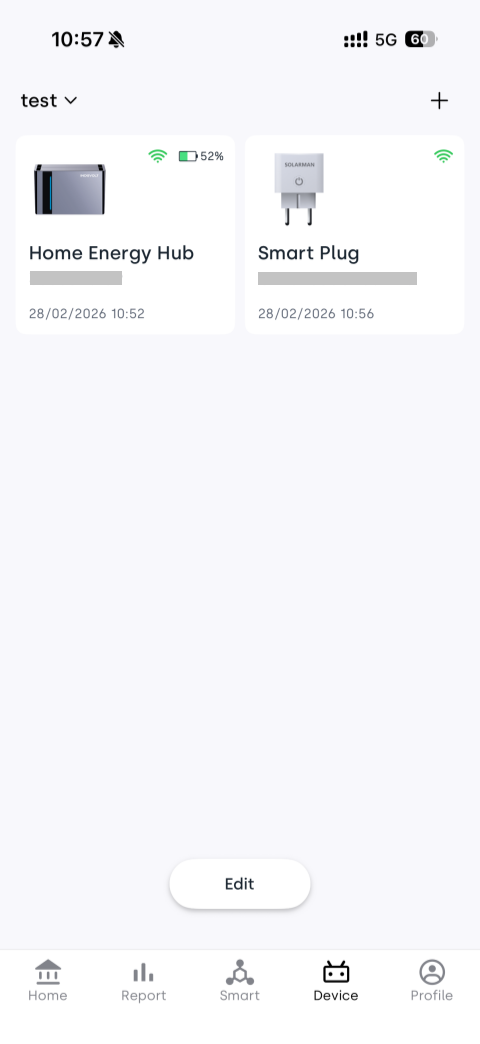
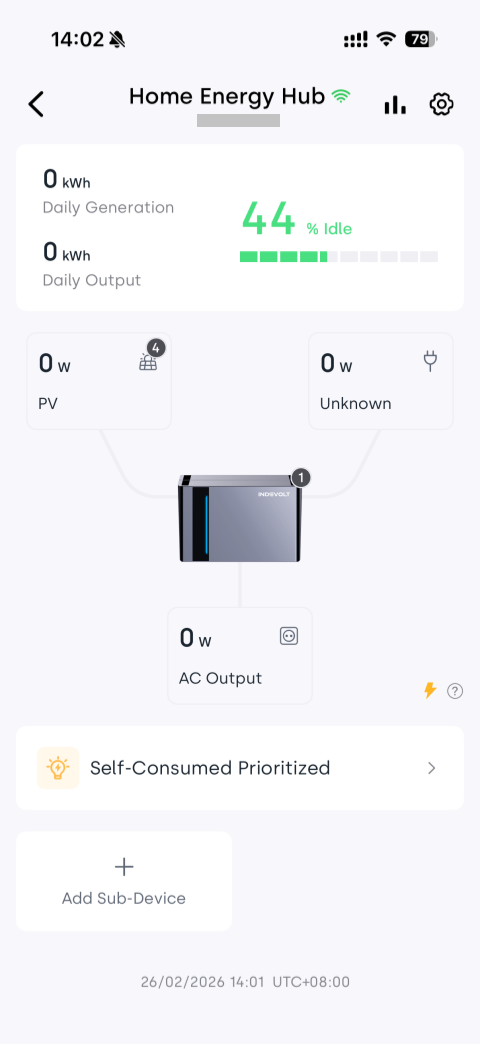
After successful connection, you can see the connected device card at the bottom of the device details page.
Tap the sub-device card to view real-time power, operating status, and historical data.