Solax
You need tokenID, API Address and Registration number from SolaxCloud to add Solax solar inverter to INDEVOLT app.
How to get tokenID and API Address?
Using the Solax app:
-
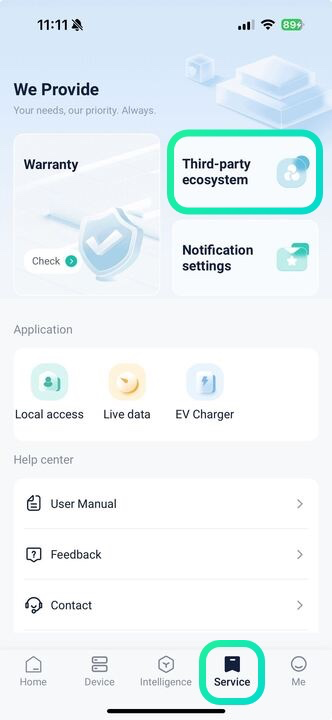
In the app, tap Service at the bottom of the main screen. On this page, select Third-party ecosystem;
-
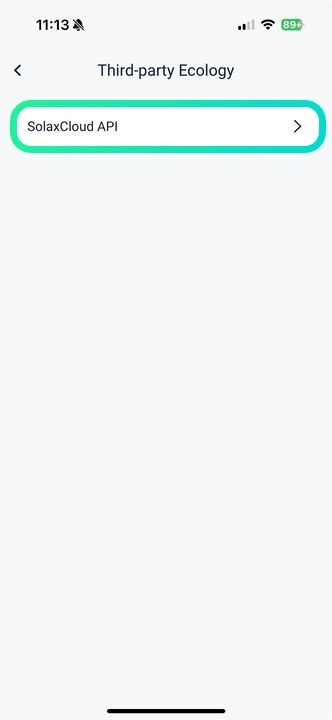
Choose SolaxCloud API;
-
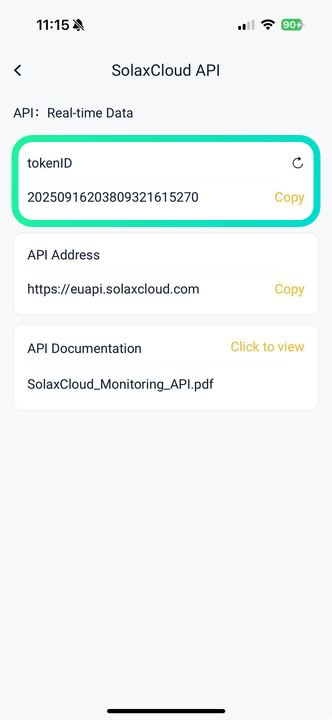
Copy the token ID and API Address from the app.
Using Solax web:
-
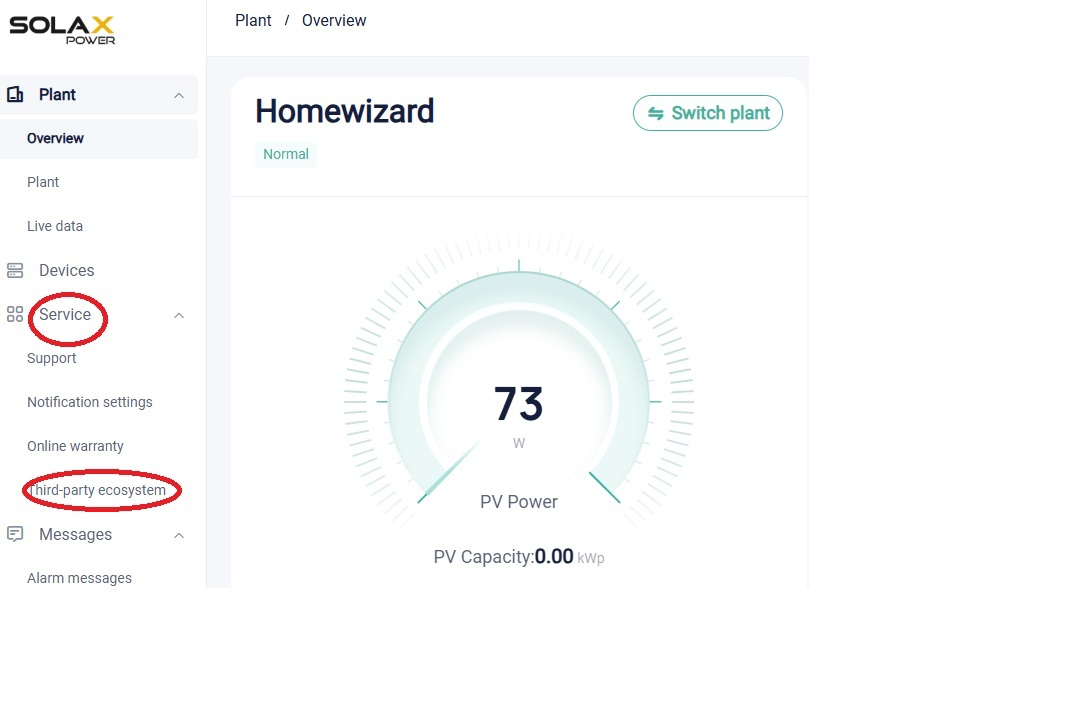
On the main page, go to Service in the left sidebar;
-
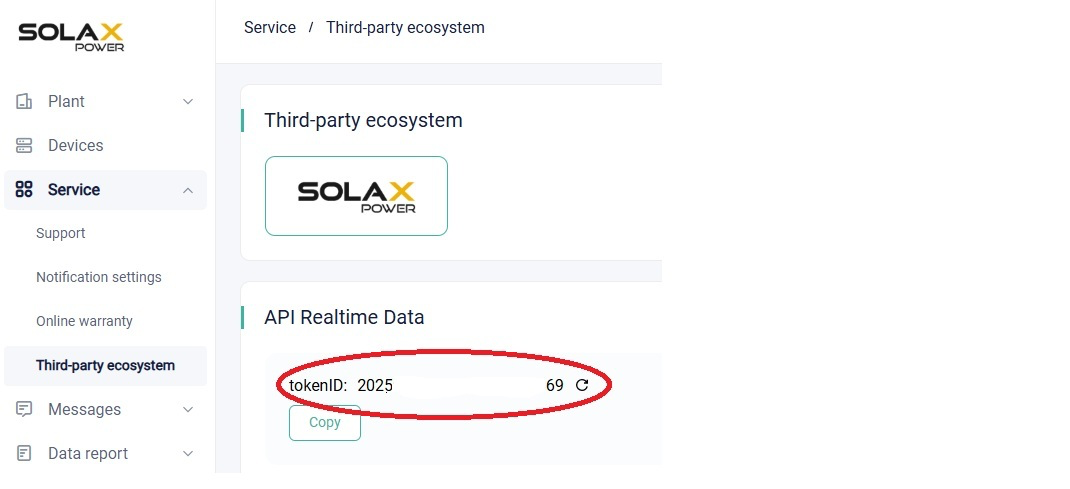
Click Third-party ecosystem;
-
Here you can copy your token ID and API Address.
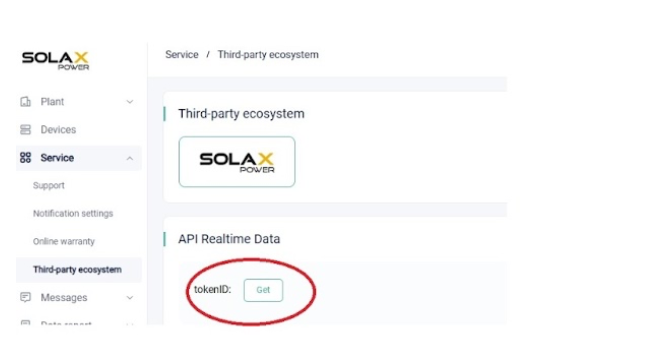
If no Token ID is displayed, click Get to request one. Then return to step 3 to copy it.
How to find Registration number?
Using the Solax app:
-
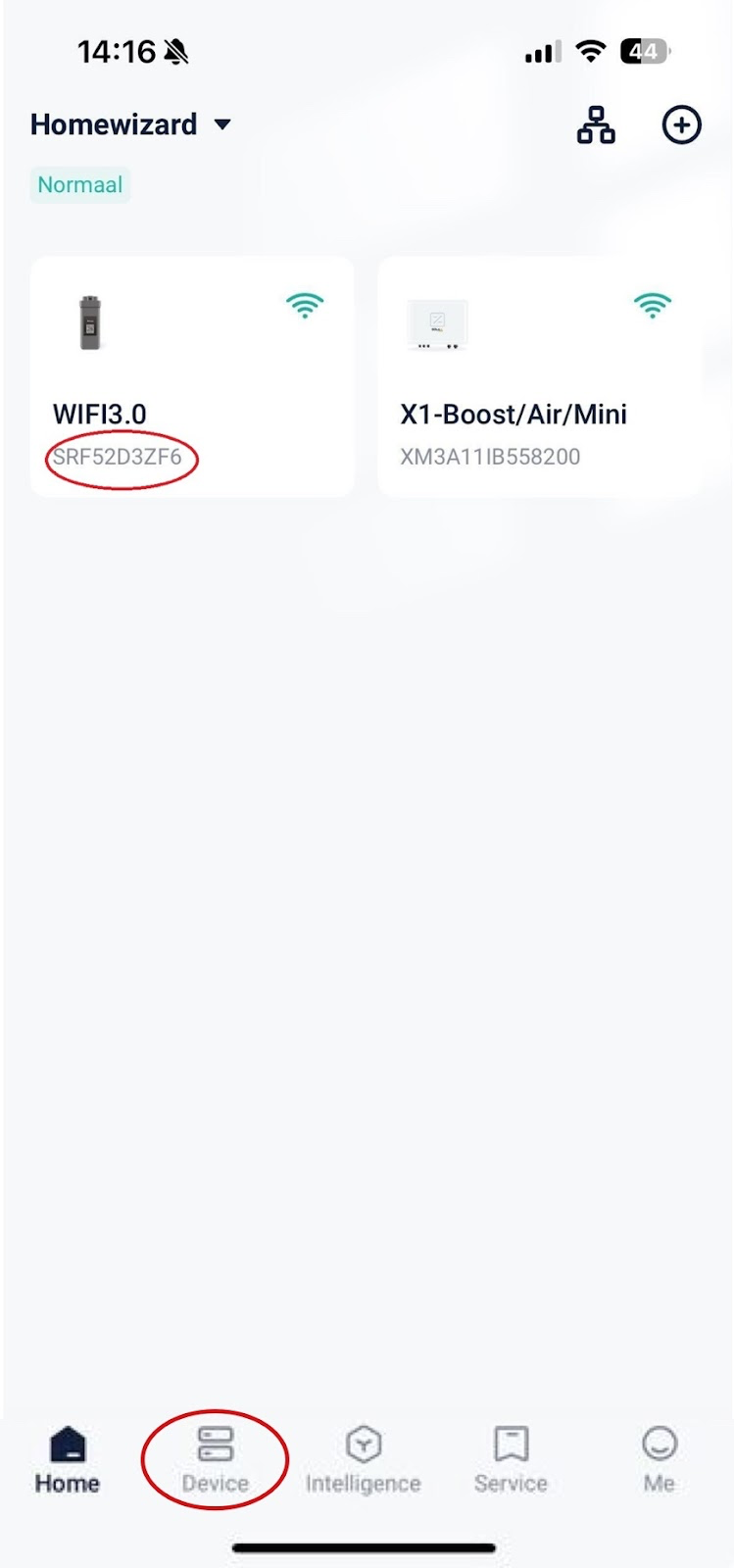
In the app, tap Device at the bottom of the main screen;
-
Your inverter will be listed with the Registration Number shown below it.
Using Solax web:
-
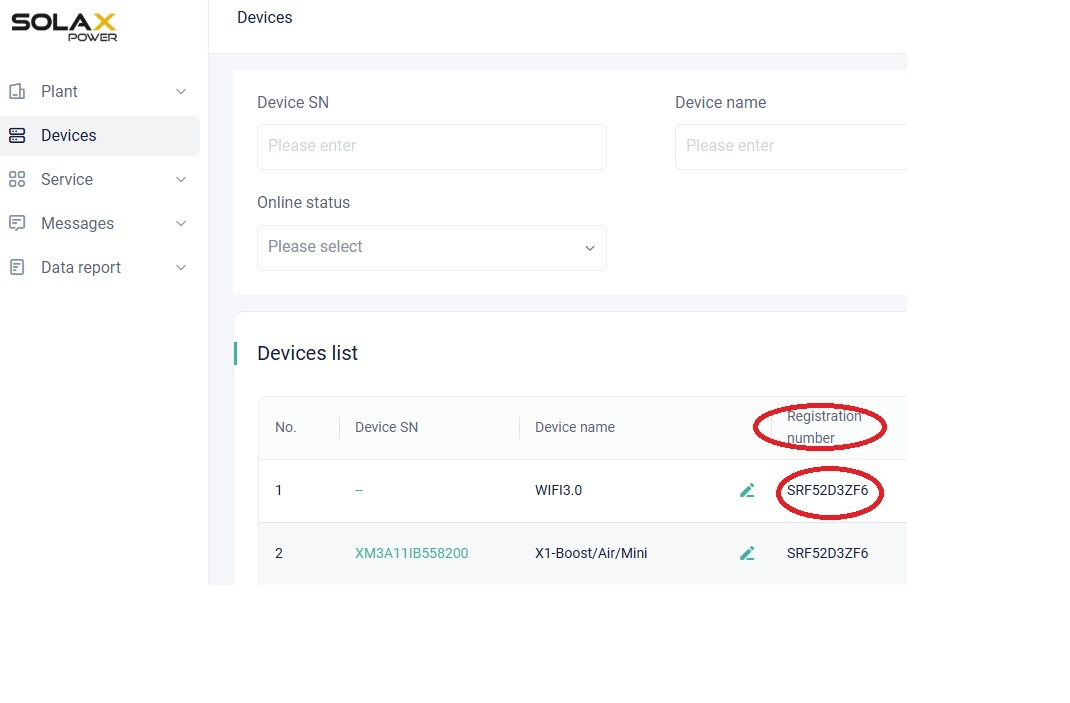
On the main screen, go to Devices in the left sidebar;
-
In the Devices list, you will find the Registration number.