Nachladelogik
1. Überblick
Das System steuert die Nachladung automatisch basierend auf dem State of Charge (SOC), der eingestellten Notstromreserve sowie der gewählten Ladequelle. Ziel ist es:
- eine definierte Mindestreserve zu erhalten und Tiefentladung zu vermeiden
- primär Solarenergie für die Nachladung zu nutzen
- bei Bedarf Netzstrom zur Unterstützung hinzuzuziehen
- häufige Schaltvorgänge im kritischen SOC-Bereich zu vermeiden
Je nach ausgewählter Ladequelle arbeitet das System in zwei Betriebsmodi:
- Laden über Solar + Netz: Priorität auf PV-Ladung, Netzstrom wird bei Bedarf automatisch zugeschaltet
- Nur Solar laden: ausschließlich PV-basierte Nachladung
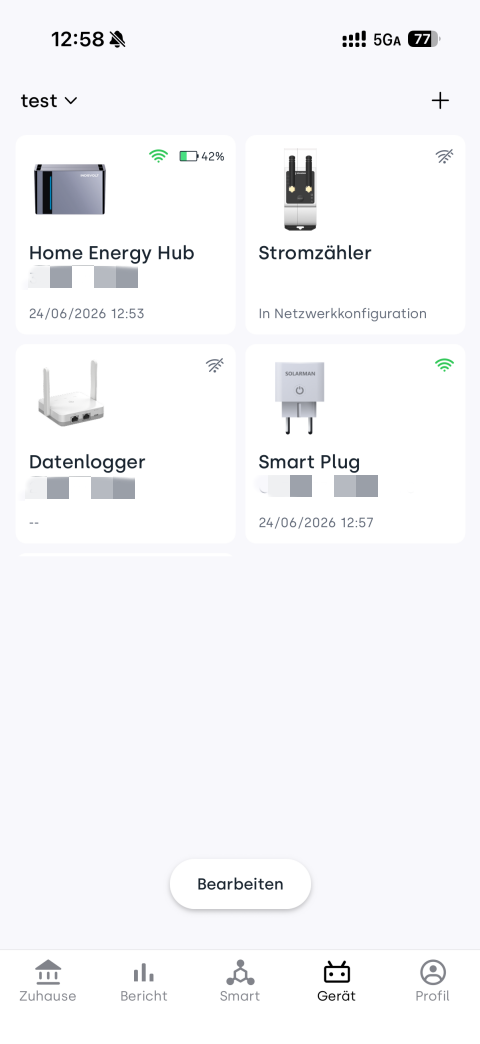
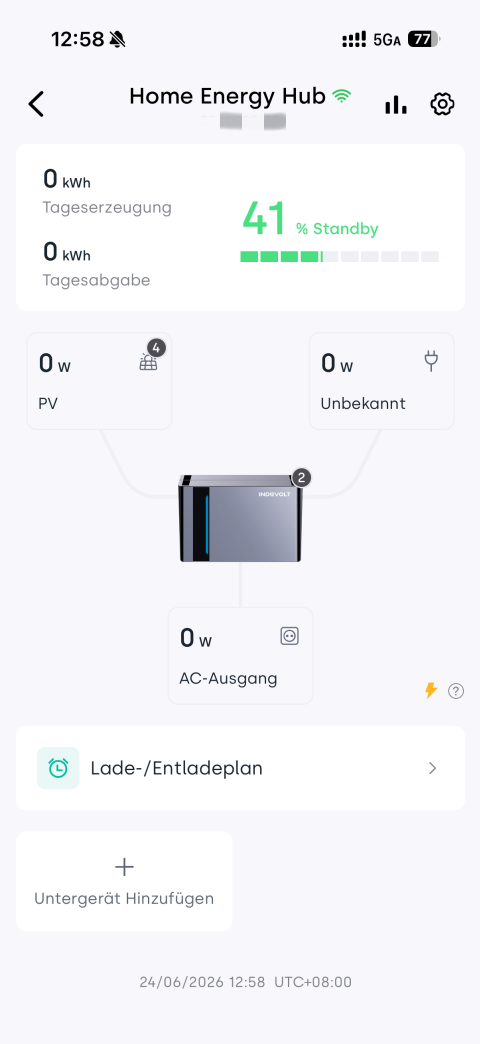
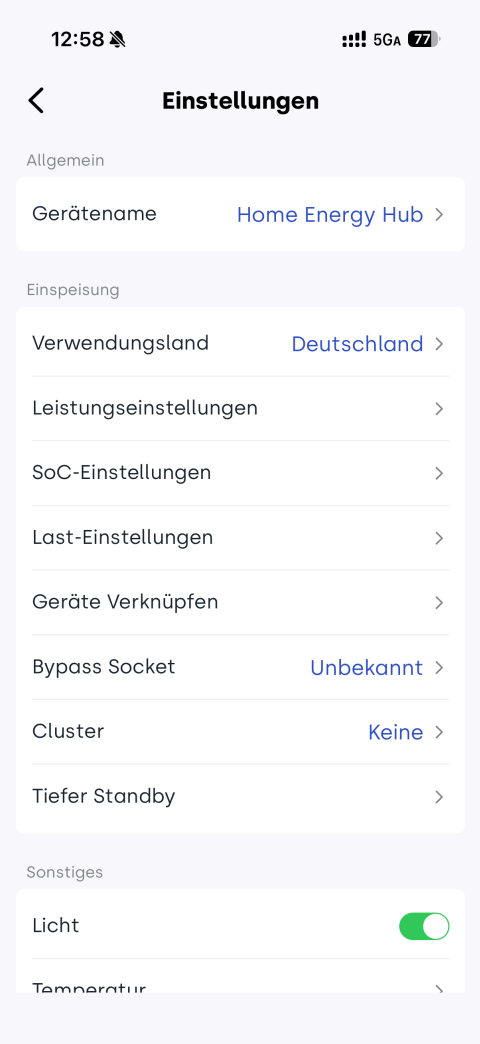
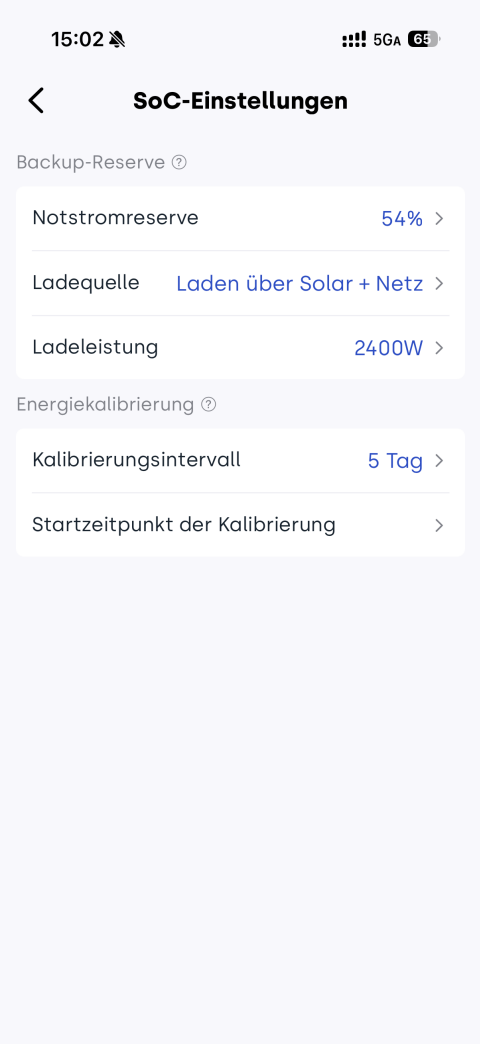
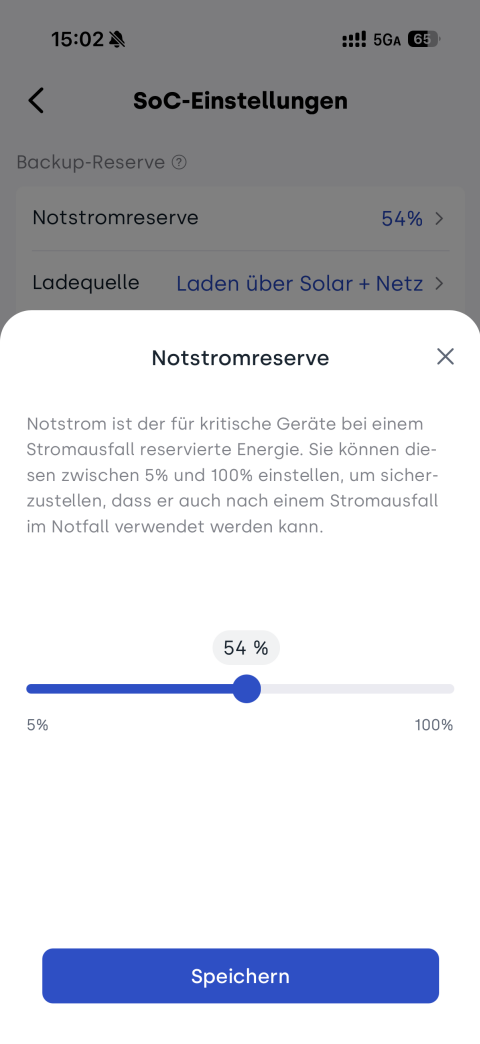
👉 Schritte in der App: Geräteansicht → Micro-Energy-Storage-Gerät auswählen → Einstellungen-Symbol  → SoC-Einstellungen → Notstromreserve (5 %–100 %)
2. Laden über Solar + Netz
Im Modus Laden über Solar + Netz kann das System sowohl Solarenergie als auch Netzstrom zur Nachladung verwenden.
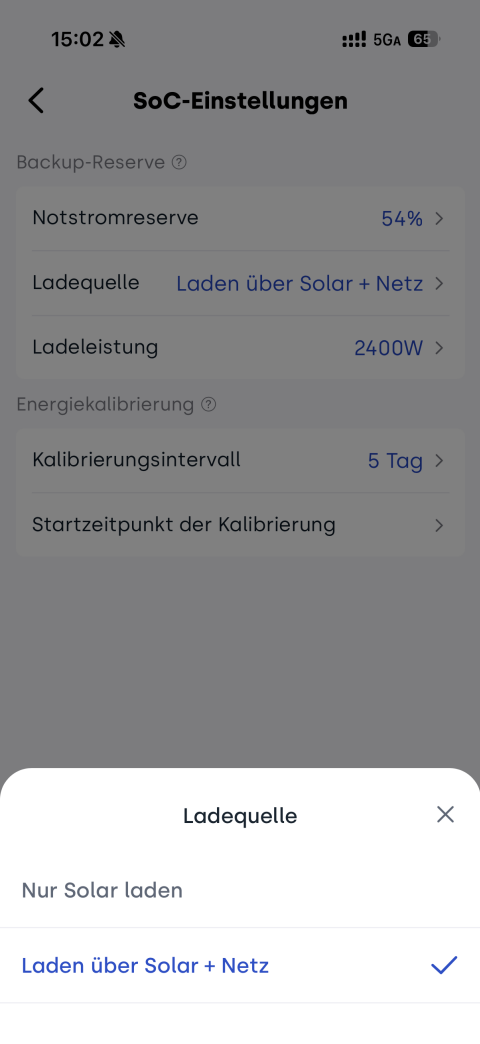
👉 Schritte in der App: Geräteansicht → Micro-Energy-Storage-Gerät auswählen → Einstellungen → SoC-Einstellungen
- Ladequelle auswählen: Laden über Solar + Netz
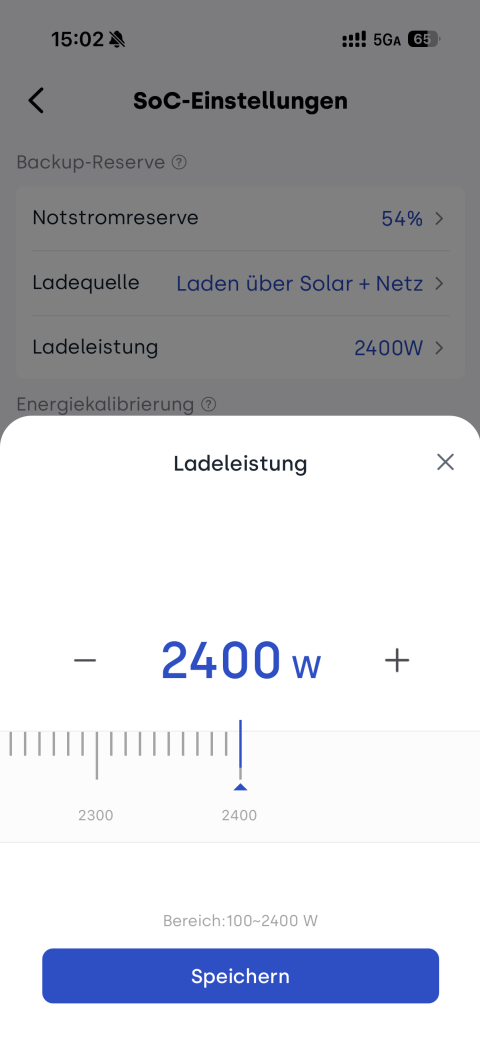
- Ladeleistung festlegen: Leistung für AC-Ladeunterstützung einstellen (Standardwert: 500 W)
- SolidFlex / PowerFlex 2000: 100 W – 2400 W
- BK1600 / BK1600 Ultra: 100 W – 1200 W
Betriebslogik
| SOC der Batterie | Systemstatus | Systemverhalten |
|---|---|---|
| oberhalb der Notstromreserve | Normalbetrieb | Laden und Entladen möglich |
| bei Erreichen der Notstromreserve | Schutzmodus | Entladung wird gestoppt, Reserve wird gehalten; PV versorgt weiterhin die Last |
| unterhalb der Notstromreserve – 2 % | Nachladung aktiv | PV + AC laden gleichzeitig |
| Rückkehr zur Notstromreserve | AC-Ladung stoppt | Nur PV-Ladung bleibt aktiv |
| oberhalb der Notstromreserve + 2 % | Normalbetrieb | Entladung wird wieder freigegeben |
3. Nur Solar laden
Im Modus Nur Solar laden erfolgt die Nachladung primär über Solarenergie.
Unter normalen Bedingungen wird kein Netzstrom zur Batterieladung verwendet. In extremen Niedrig-SOC-Situationen kann jedoch eine Schutzladung über AC aktiviert werden.
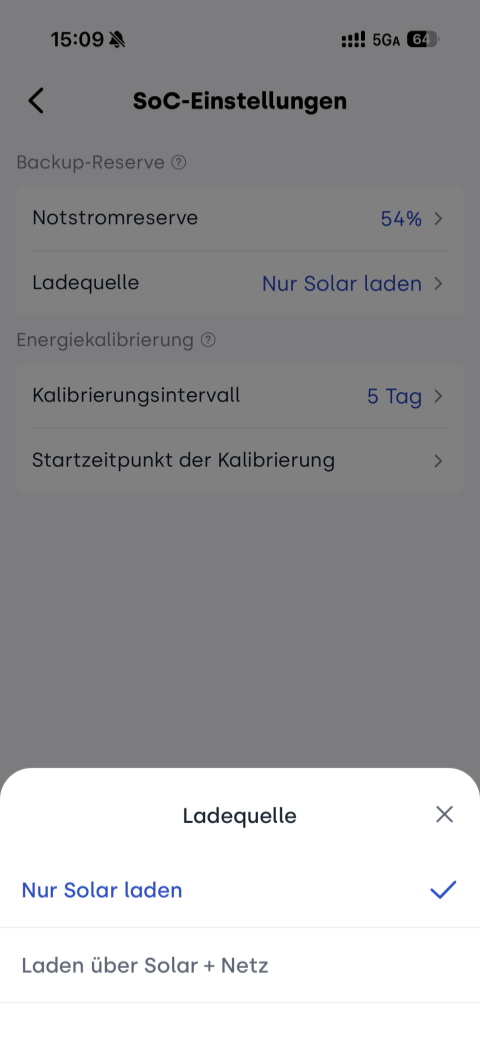
👉 Schritte in der App: Geräteansicht → Micro-Energy-Storage-Gerät auswählen → Einstellungen → SoC-Einstellungen
-
Ladequelle auswählen: Nur Solar laden
Betriebslogik
| SOC der Batterie | Systemstatus | Systemverhalten |
|---|---|---|
| oberhalb der Notstromreserve | Normalbetrieb | Laden und Entladen möglich |
| bei Erreichen der Notstromreserve | Schutzmodus | Entladung wird gestoppt; PV versorgt weiterhin die Last |
| unterhalb der Notstromreserve – 2 % | PV-Nachladung | ausschließlich PV-Ladung |
| ca. 3 % (Gesamt-SOC) | Tiefentladungsschutz | automatische PV + AC Notladung zur Vermeidung vollständiger Entladung |
| ab 5 % (Gesamt-SOC) | Schutz verlassen | AC-Ladung wird beendet |
| oberhalb der Notstromreserve + 2 % | Normalbetrieb | Entladung wieder aktiv |
4. Unterschiede der beiden Lade-Modi
| Szenario | Bei Erreichen der Notstromreserve | < Notstromreserve – 2 % | Tiefentladungsschutz | Rückkehr in Normalbetrieb |
|---|---|---|---|---|
| Laden über Solar + Netz | Entladung gestoppt, PV versorgt Last | PV + AC Nachladung | – | SOC > Notstromreserve + 2 % |
| Nur Solar laden | Entladung gestoppt, PV versorgt Last | nur PV-Ladung | bei ca. 3 %: PV + AC Notladung, AC stoppt bei 5 % | SOC > Notstromreserve + 2 % |